AI debugging in 2026
The role of artificial intelligence in software debugging has evolved significantly. What began as simple linting tools has matured into systems capable of analyzing code semantics, predicting potential errors, and even suggesting fixes. By 2026, we’re seeing a clear shift from AI assisting with repetitive tasks to actively participating in the debugging process, though not without limitations.
The increasing complexity of modern codebases is a major driver for this change. Microservices architectures, sprawling front-end frameworks, and the sheer volume of code in large projects place an enormous strain on developers. Traditional debugging methods often struggle to keep pace, leading to longer development cycles and increased risk of bugs reaching production.
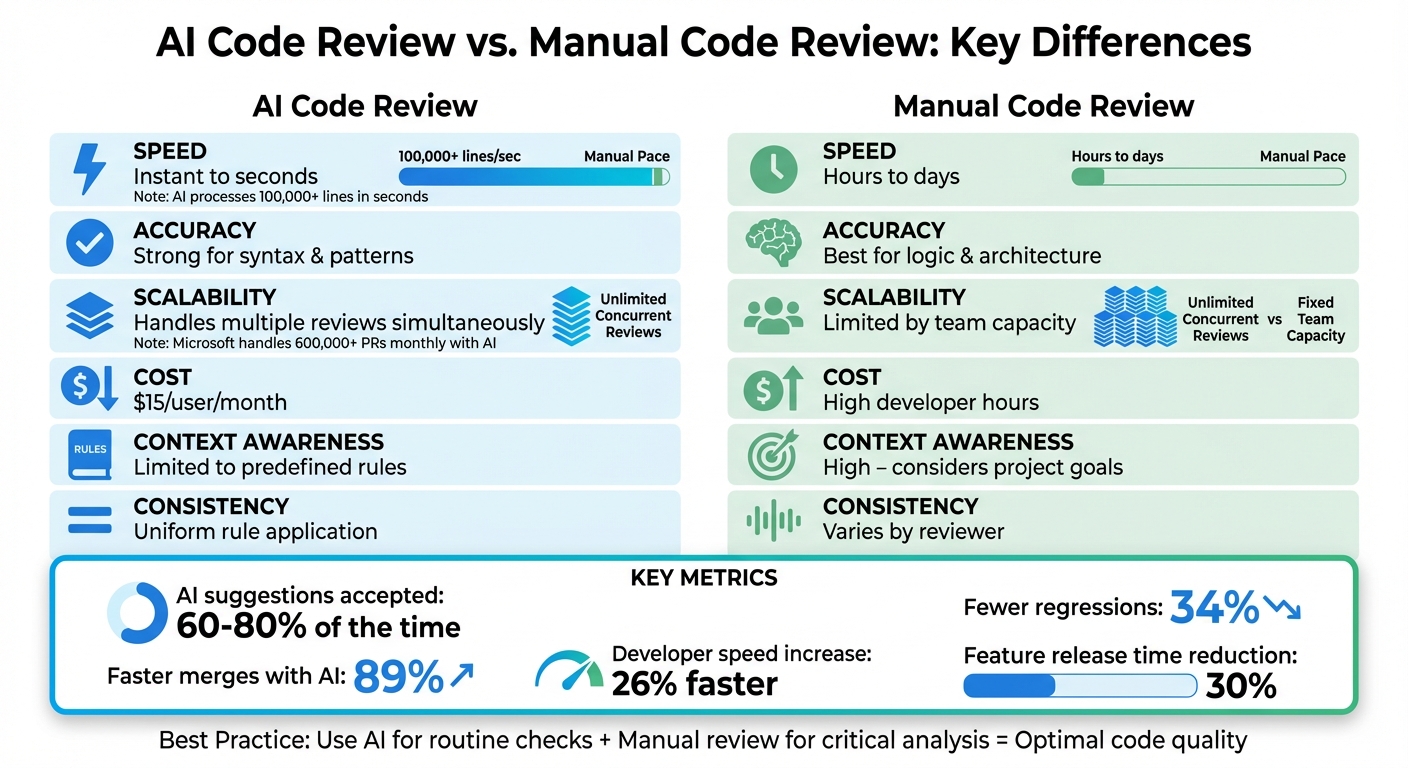
Don't expect these tools to replace you. They are great at spotting patterns or handling the grunt work of syntax checking, but they still miss the logic of a complex feature. You still have to be the one to decide if a suggested fix actually makes sense for the business.
By 2026, models are finally fast enough to give feedback while you type. We've moved past simple plugins to tools that live inside the CI/CD pipeline. The main hurdle now isn't the tech itself, but whether developers trust the suggestions enough to hit 'merge'.
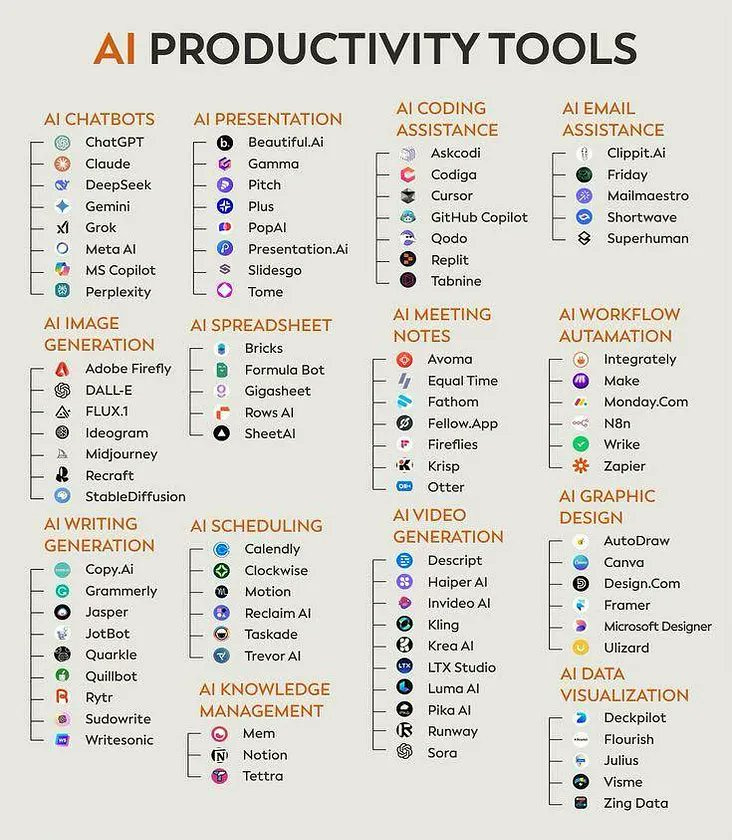
Ten tools to watch
The market for AI-powered debugging tools is rapidly expanding. Here’s a ranked list of ten tools that stand out in 2026, based on their capabilities and industry adoption. Ranking is based on a combination of features, language support, and reported effectiveness.
1. GitHub Copilot (with debugging suggestions): Copilot, initially known for code completion, now incorporates robust debugging features. It analyzes code in real-time, suggests fixes for errors, and provides explanations for potential issues. Supported languages: All major languages. Strength: Seamless integration with VS Code and other popular IDEs. Weakness: Can sometimes offer irrelevant suggestions.
2. AI Debugger: This tool focuses specifically on debugging, offering a dedicated AI assistant to help developers identify and resolve issues. It provides detailed error reports, code explanations, and suggested fixes. Supported languages: Python, JavaScript, Java. Strength: Highly focused on debugging, providing in-depth analysis. Weakness: Limited language support compared to Copilot.
3. DeepCode (now part of Snyk Code): DeepCode, integrated into Snyk Code, leverages static analysis and machine learning to identify security vulnerabilities and code quality issues. Supported languages: JavaScript, Python, Java, C#, TypeScript. Strength: Strong focus on security and code quality. Weakness: Can generate false positives.
4. Tabnine: Tabnine provides AI-powered code completion with built-in error detection. It learns from your codebase and suggests code that is both syntactically correct and semantically relevant. Supported languages: All major languages. Strength: Excellent code completion and error detection. Weakness: Requires a significant amount of code to learn effectively.
5. Amazon CodeGuru Reviewer: CodeGuru Reviewer analyzes your code and identifies critical issues, hard-to-find bugs, and deviations from coding best practices. Supported languages: Java, Python, JavaScript, TypeScript. Strength: Integrates well with AWS services. Weakness: Best suited for projects hosted on AWS.
6. SonarQube: While not exclusively an AI tool, SonarQube has incorporated AI-enhanced analysis to improve its accuracy and effectiveness in identifying code smells and vulnerabilities. Supported languages: Over 30 languages. Strength: Comprehensive code analysis and quality management. Weakness: Can be complex to set up and configure.
7. Codacy: Codacy is an automated code review platform that uses AI to identify potential issues and enforce coding standards. Supported languages: JavaScript, Python, Java, Ruby, PHP, C#. Strength: Automated code review and enforcement of standards. Weakness: Can be expensive for large teams.
8. DeepSource: DeepSource automates code reviews and identifies potential issues, including bugs, security vulnerabilities, and performance bottlenecks. Supported languages: Python, JavaScript, Go, Ruby. Strength: Focuses on identifying and fixing critical issues. Weakness: Limited language support.
9. Kite: Kite is an AI-powered coding assistant that provides code completion, documentation lookup, and error detection. Supported languages: Python, JavaScript, Go, Ruby. Strength: Excellent documentation lookup and code completion. Weakness: Primarily focused on Python and JavaScript.
10. Inferstatic: Inferstatic is a static analysis tool that uses AI to identify potential bugs and security vulnerabilities in Java code. Supported languages: Java. Strength: Highly specialized for Java code analysis. Weakness: Limited to Java.
Essential Peripherals for AI-Powered Debugging Workflows

Quiet Perfect-Stroke Keys for tactile typing experience · Logi Bolt Technology for secure wireless connectivity · Rechargeable battery with long operational life
This keyboard offers a comfortable and quiet typing experience, crucial for extended coding sessions, with secure wireless connectivity.

27-inch 4K UHD WLED LCD display for sharp visuals · Wide color gamut coverage for accurate representation · Extensive connectivity options including USB-C
The high-resolution display provides exceptional clarity for detailed code examination and analysis, enhancing visual debugging.

Active Noise Cancellation for immersive focus · Adjustable EQ for personalized audio profiles · Integrated microphone for clear communication
These headphones minimize auditory distractions, allowing for deep concentration during complex AI code analysis and debugging tasks.

Hot-swappable mechanical switches for customization · QMK/VIA support for advanced key mapping · Aluminum frame for enhanced durability and stability
This customizable mechanical keyboard allows for personalized key layouts and a superior typing feel, optimizing developer workflow.
As an Amazon Associate I earn from qualifying purchases. Prices may vary.
How static analysis changed
Static analysis tools are crucial for proactively identifying potential bugs before runtime. In 2026, these tools have significantly advanced thanks to AI, moving beyond simple pattern matching to understand the semantics of code. They can now detect subtle errors like memory leaks, null pointer exceptions, and potential security flaws with greater accuracy.
AI enhances static analysis by building models of expected code behavior. These models allow the tools to identify deviations from the norm, which could indicate a bug. For example, an AI-powered static analyzer might detect that a variable is being used before it is initialized, or that a function is being called with invalid arguments.
The benefits of early bug detection are substantial. Fixing bugs earlier in the development cycle is significantly cheaper and less time-consuming than fixing them after deployment. Static analysis also helps to improve code quality and reduce technical debt. BrowserStack emphasizes the importance of AI in testing, recognizing that early detection is key to delivering high-quality software.
Tools like Snyk Code and SonarQube are leading the way in AI-powered static analysis. They can integrate into CI/CD pipelines to automatically scan code for vulnerabilities and provide developers with immediate feedback. This allows for continuous improvement and reduces the risk of introducing bugs into production.
Comparative Analysis of AI-Powered Debugging Tools (2026)
| Tool Name | Code Complexity Handling | Vulnerability Detection Coverage | Integration with IDEs | Reporting Clarity |
|---|---|---|---|---|
| GitHub Copilot (with debugging suggestions) | Good | Good | Excellent | Good |
| DeepCode (now part of Snyk Code) | Fair | Excellent | Good | Fair |
| Tabnine (AI code completion with error detection) | Fair | Good | Good | Fair |
| Amazon CodeGuru Reviewer | Good | Good | Excellent | Good |
| SonarQube (with AI-enhanced analysis) | Excellent | Excellent | Good | Excellent |
| Codacy (automated code review platform) | Good | Good | Good | Good |
| DeepSource (automated code review tool) | Fair | Fair | Good | Fair |
| Kite (AI-powered coding assistant) | Limited | Fair | Good | Limited |
Illustrative comparison based on the article research brief. Verify current pricing, limits, and product details in the official docs before relying on it.
Runtime Analysis and Intelligent Logging
While static analysis focuses on identifying potential bugs before execution, runtime analysis examines code during operation. AI is transforming runtime analysis by providing tools that can interpret logs, identify performance bottlenecks, and pinpoint the root cause of runtime errors.
Traditional log analysis is often a manual and time-consuming process. AI-powered tools automate this process by analyzing log data and identifying patterns that indicate potential problems. This is where "intelligent logging" comes into play – the AI automatically filters and highlights relevant log messages, reducing noise and making it easier to identify critical issues.
These tools are particularly valuable for complex distributed systems, where it can be difficult to trace the flow of execution and identify the source of errors. By correlating logs from multiple sources, AI can provide a holistic view of system behavior and pinpoint the root cause of problems.
However, runtime analysis tools must be carefully configured to avoid performance overhead. Excessive logging can slow down application performance, so it’s important to strike a balance between data collection and performance. The best tools offer adaptive logging, automatically adjusting the level of detail based on system load and identified issues.
AI and Test Case Generation
AI is increasingly being used to automate the creation of test cases, a traditionally manual and time-consuming process. AI-generated tests can increase coverage, reduce testing time, and uncover edge cases that humans might miss.
Unit tests are particularly well-suited for AI generation, as they focus on testing individual components in isolation. AI can analyze code and automatically generate unit tests that cover a wide range of inputs and outputs. Integration tests and end-to-end tests are more challenging to generate automatically, but AI is making progress in these areas as well.
The benefits of AI-generated tests are clear: faster testing cycles, increased coverage, and improved software quality. However, it’s important to remember that AI-generated tests are not a substitute for human-written tests. They should be used to supplement, not replace, manual testing efforts.
Tools like Diffblue Cover are leading the charge in AI-powered test generation. They can automatically generate unit tests for Java code, significantly reducing the time and effort required for testing.
Where these tools fall short
Despite the advances in AI debugging, there are still limitations. AI struggles with complex logical errors that require a deep understanding of the application’s business logic. Subtle security vulnerabilities that rely on nuanced interactions between different components are also difficult for AI to detect.
AI is a tool to augment developers, not replace them. Human expertise is still required to interpret AI-generated results, understand the broader context, and address complex issues. The potential for AI to introduce false positives – flagging issues that are not actually errors – is a real concern.
Careful validation of AI-generated results is essential. Developers should not blindly trust the output of AI tools, but rather critically evaluate it and use their own judgment. Failing to do so could lead to the introduction of bugs or security vulnerabilities.
Ultimately, AI debugging tools are most effective when used in conjunction with traditional debugging methods and human expertise. They can automate repetitive tasks and identify potential issues, but they cannot replace the critical thinking and problem-solving skills of a skilled developer.
Do you believe AI debugging tools will eventually replace human developers in identifying and fixing complex bugs?
As AI-powered debugging tools like GitHub Copilot, DeepCode, Tabnine, and Amazon CodeGuru continue to evolve, we want to hear from the developer community. Cast your vote below and share your reasoning in the comments.

No comments yet. Be the first to share your thoughts!