The Multi-Language Developer's Dilemma
The life of a modern developer isn't simple. We rarely stick to a single language or framework anymore. Projects demand proficiency in JavaScript, Python, Java, C++, and a dozen others, sometimes simultaneously. This creates a real headache when it comes to choosing the right development environment.
For years, developers cobbled together solutions—switching between IDEs, managing separate configurations, and constantly battling context switching. It’s a productivity killer. The goal is a seamless experience, a single tool that doesn’t force you to lose momentum whenever you shift gears.
The complexity of web and application development is only increasing. Microservices architectures, polyglot persistence, and the sheer number of front-end frameworks mean developers need tools that can handle it all. A robust, versatile IDE isn’t just a convenience; it’s becoming a necessity. The ideal IDE needs to be able to adapt and grow with the demands of the project, without becoming a performance bottleneck.
The right environment depends on your specific stack, but a few tools dominate the 2026 market for their ability to juggle multiple languages without crashing.
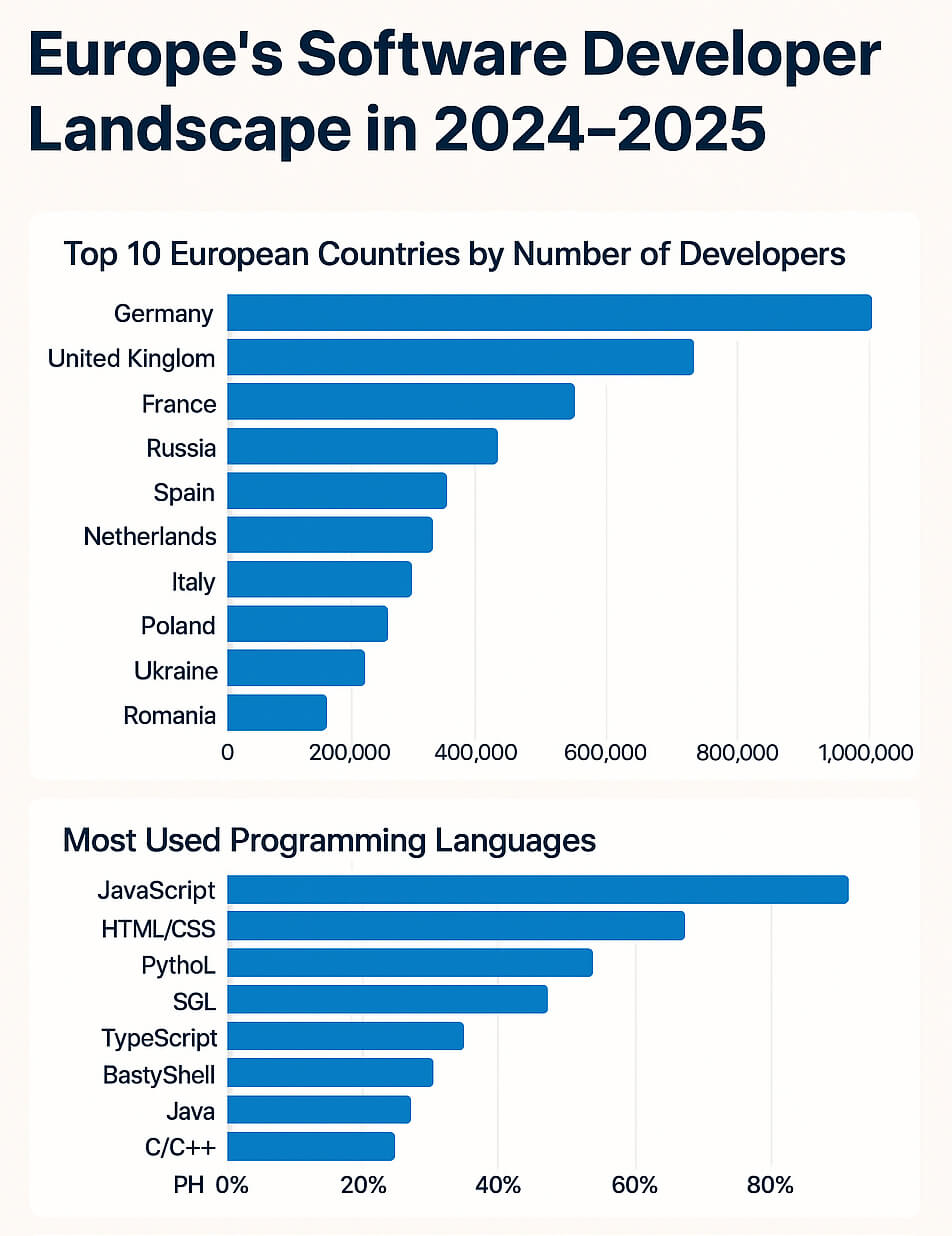
VS Code: the extension heavy-hitter
Visual Studio Code has become incredibly popular, and for good reason. It’s free, open-source, and boasts an absolutely massive extension ecosystem. You can customize VS Code to support virtually any language or framework imaginable, and the built-in Git integration is a huge plus for version control.
IntelliSense, VS Code’s code completion and suggestion engine, is remarkably effective, especially with the right extensions installed. Debugging is also well-supported, with features for setting breakpoints, inspecting variables, and stepping through code. The user interface is clean and intuitive, which contributes to its widespread appeal.
However, VS Code’s strength—its extensibility—can also be a weakness. While it handles many languages well out of the box, truly leveraging its power often requires installing a significant number of extensions. This can lead to performance issues, especially on larger projects. Ria Dayal’s 2026 guide on web development tools notes the continued importance of extension management for VS Code performance.
Heavy reliance on extensions creates a fragmented experience. One buggy plugin can tank your frame rate or break your syntax highlighting. While the frequent updates keep the tool modern, they often force you to spend an hour fixing your config instead of writing code.
JetBrains for specialized workflows
JetBrains offers a family of IDEs, each tailored to a specific language or technology. IntelliJ IDEA is the flagship product, geared towards Java development, but PyCharm excels with Python, WebStorm for JavaScript, and so on. This specialization is a major selling point. Each IDE provides deep integration with its target language, offering advanced features like code analysis, refactoring tools, and debugging capabilities.
The level of language-specific support in JetBrains IDEs is generally superior to what you can achieve with VS Code and extensions. They understand the nuances of each language and provide features that are specifically designed to improve developer productivity. For example, IntelliJ IDEA’s Java refactoring tools are legendary.
However, this specialization comes at a cost. JetBrains IDEs are generally paid subscriptions, and the price can be substantial, especially if you need multiple IDEs for different languages. The licensing model has evolved over time, but it remains a significant investment.
Nimbalyst’s 2026 comparison of AI IDEs highlights JetBrains’ increasing integration of AI features, particularly in code completion and error detection. This is a key area where JetBrains is looking to stay competitive. The trade-off with JetBrains is that you’re often paying for a more polished, feature-rich experience, but you’re locked into a specific ecosystem.
The downside of having a suite of IDEs is the potential for duplication of effort and the need to learn different interfaces. While the core concepts are similar across JetBrains products, there’s still a learning curve associated with each one. It’s a trade-off between specialization and consistency.
The shift toward AI-native editors
Artificial intelligence is rapidly transforming the way we write code, and IDEs are at the forefront of this revolution. AI-powered features like code completion, error detection, and automated refactoring are becoming increasingly common. These tools can significantly speed up development, reduce errors, and help developers learn new languages and frameworks.
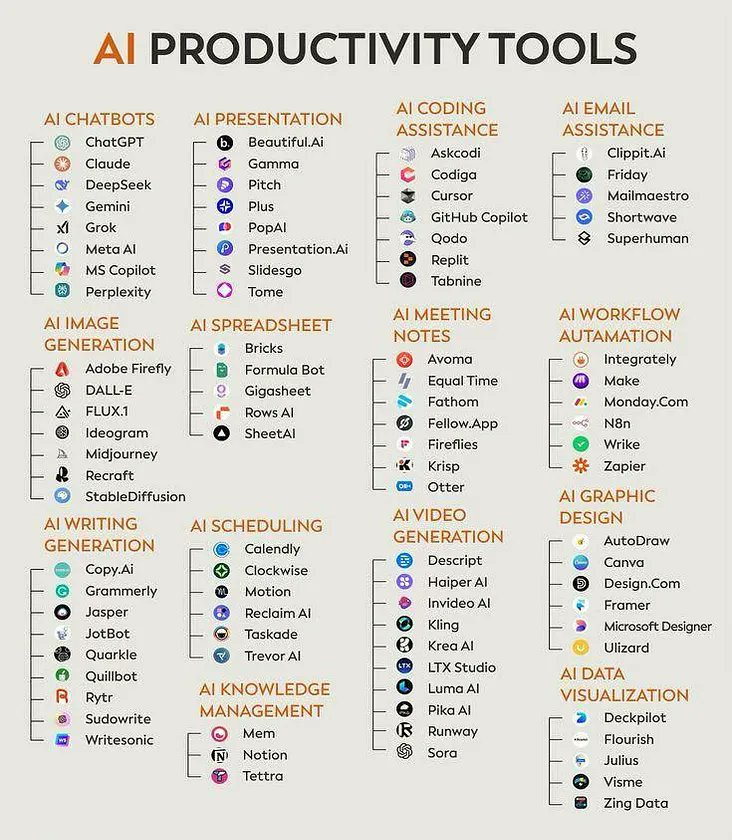
Several IDEs are leading the way in AI integration. GitHub Copilot, for example, provides real-time code suggestions based on your code and comments. Other tools offer automated code reviews, bug detection, and even the ability to generate code from natural language descriptions.
Nimbalyst’s 2026 report identifies several AI-native IDEs gaining traction, and highlights the potential for these tools to fundamentally change the development workflow. The report suggests that AI integration is no longer a "nice-to-have’ feature, but a ‘must-have" for serious developers.
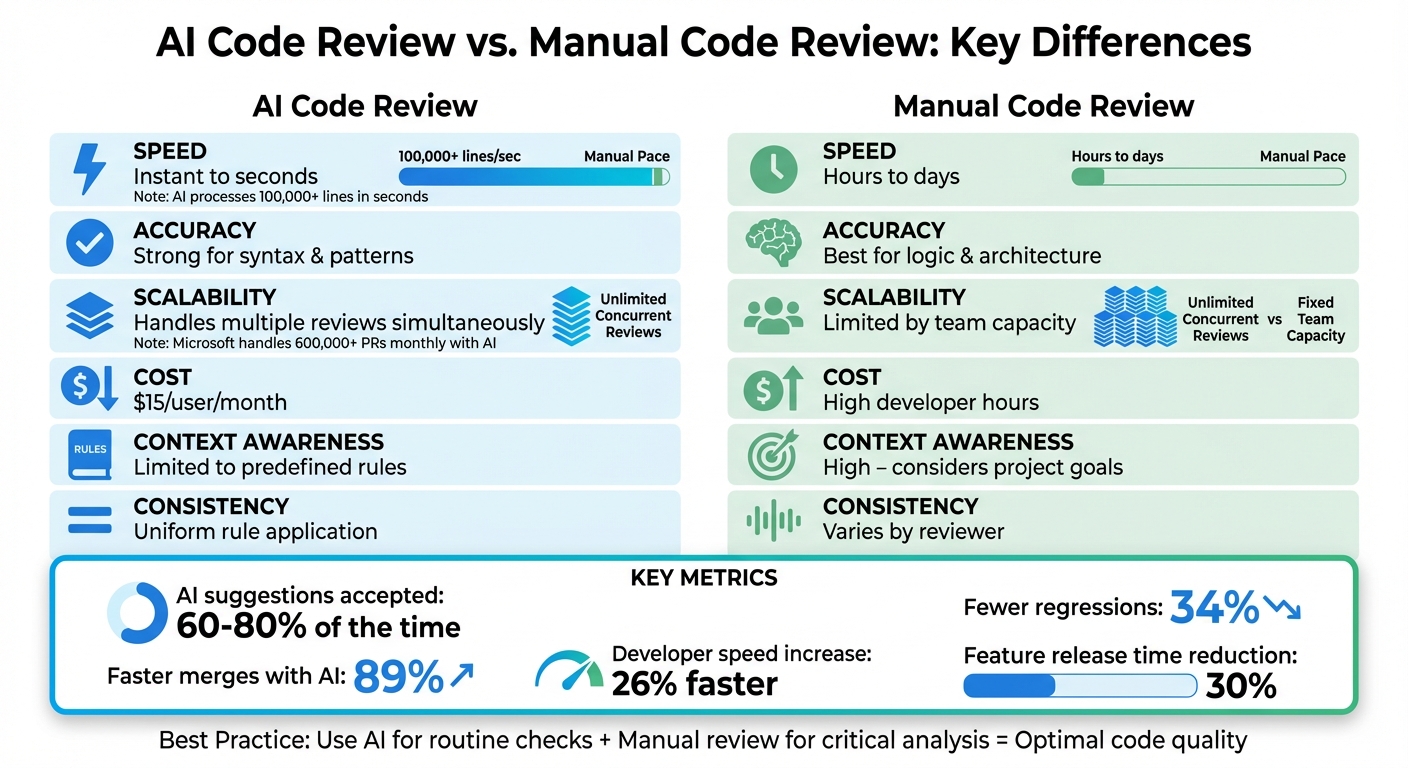
AI isn't a replacement for knowing how to code. It frequently hallucinates inefficient logic or security holes that look correct at a glance. If you stop reviewing what it generates, your own debugging skills will likely atrophy.
- Code completion for suggesting snippets and logic blocks
- Error detection: Identifies potential errors and bugs in your code.
- Automated refactoring: Helps you improve the structure and readability of your code.
- Code generation: Creates code from natural language descriptions.
AI Feature Focus: 2026
- AI-Powered Code Completion - Goes beyond basic autocompletion, predicting entire code blocks based on context and coding style. Tools like GitHub Copilot are already demonstrating this, and improvements are expected in 2026.
- Intelligent Debugging Assistance - IDEs will proactively identify potential bugs and vulnerabilities during runtime, offering suggestions for fixes and explaining the root cause. This builds on existing debugging tools with AI analysis.
- Automated Refactoring Suggestions - AI will analyze codebases and suggest refactorings to improve readability, maintainability, and performance. This includes identifying code smells and proposing optimized solutions.
- Natural Language to Code Generation - Developers will be able to describe desired functionality in plain English, and the IDE will generate corresponding code snippets. This is an extension of current natural language processing capabilities.
- Contextual Documentation & Learning - IDEs will provide relevant documentation and learning resources directly within the coding environment, based on the code being written. This streamlines the learning process and reduces context switching.
- AI-Driven Test Case Generation - Automatically generate unit tests and integration tests based on code analysis, increasing test coverage and reducing manual effort. This is expected to improve software quality.
- Cross-Language Code Translation - Assistance in converting code from one programming language to another, easing migration efforts and enabling code reuse. This feature is still developing but shows promise.
Beyond the Big Two: Niche IDE Contenders
While VS Code and JetBrains IDEs dominate the market, several other IDEs offer unique features and benefits. Sublime Text, for example, is a lightweight and highly customizable editor that’s popular among web developers. It's known for its speed and simplicity, and can be extended with plugins to support a wide range of languages.
Atom, while its future is uncertain, remains a viable option for some developers. Like VS Code, it’s open-source and highly customizable. However, it has historically been slower and more resource-intensive than VS Code. More specialized IDEs, like Eclipse (for Java and other languages) or Xcode (for Apple platform development), cater to specific niches and offer dedicated tools for those environments.
These niche IDEs often excel in specific areas. Sublime Text's speed makes it ideal for quick edits and text manipulation, while Xcode provides a comprehensive environment for building iOS and macOS applications. The key is to identify your specific needs and choose an IDE that aligns with those needs.
Performance Showdown: A Qualitative Comparison
Objectively benchmarking IDE performance is surprisingly difficult. Factors like project size, language complexity, and hardware configuration all play a significant role. Furthermore, performance is often subjective—what feels fast to one developer may feel slow to another. Therefore, this comparison will be largely qualitative, based on user reports and anecdotal evidence.
Generally, Sublime Text is considered the fastest and most lightweight IDE, particularly for smaller projects. VS Code is reasonably fast, but can become sluggish with a large number of extensions. JetBrains IDEs tend to have the highest memory footprint and can be slower to start up, but they often provide smoother performance once loaded, especially for complex projects.
Code completion speed varies depending on the IDE and the language. JetBrains IDEs generally offer the most accurate and comprehensive code completion, but VS Code with the right extensions can come close. Debugging performance is also important, and JetBrains IDEs often excel in this area, providing more advanced debugging features.
Memory usage is a critical factor, especially for developers working on large projects or with limited hardware resources. Sublime Text is the most memory-efficient, followed by VS Code. JetBrains IDEs typically consume the most memory. Startup time is another important consideration. Sublime Text and VS Code generally start up faster than JetBrains IDEs.
- Sublime Text has the fastest startup, followed by VS Code and then JetBrains.
- Memory Usage: Sublime Text < VS Code < JetBrains
- Code Completion Speed: JetBrains ≈ VS Code (with extensions) > Sublime Text
- Debugging Performance: JetBrains > VS Code > Sublime Text
IDE Comparison for Multi-Language Development (2026)
| IDE | Performance | Language Support | Extension Ecosystem | AI Integration | User Friendliness |
|---|---|---|---|---|---|
| VS Code | Good - Can be resource intensive with many extensions | Excellent - Wide range via extensions | Excellent - Massive and active community | Good - Improving rapidly with extensions like GitHub Copilot | Good - Highly customizable, moderate learning curve |
| IntelliJ IDEA | Good - Generally performant, can be slower with large projects | Excellent - Strong support for JVM languages, good for others | Excellent - Robust plugin marketplace | Excellent - Deeply integrated AI assistance | Fair - Steeper learning curve, complex interface |
| PyCharm | Good - Optimized for Python, generally responsive | Excellent - Specifically designed for Python development | Good - Solid selection of Python-focused plugins | Good - AI features tailored for Python | Good - User-friendly for Python developers, less so for others |
| Eclipse | Fair - Can be slow and resource-heavy, especially with many plugins | Good - Broad language support, but often requires plugin configuration | Good - Mature plugin ecosystem, though can be fragmented | Fair - AI integration is improving but lags behind competitors | Fair - Complex interface, significant learning curve |
| Sublime Text | Excellent - Lightweight and very fast | Fair - Relies heavily on packages for language support | Good - Active package community, but quality varies | Fair - Limited built-in AI features | Good - Minimalist interface, easy to learn |
| NetBeans | Fair - Can be sluggish, particularly with larger projects | Good - Good support for Java and PHP, decent for others | Good - Decent plugin selection, though not as extensive as VS Code or IntelliJ | Fair - AI features are present but not a primary focus | Good - Relatively easy to use, especially for Java development |
Qualitative comparison based on the article research brief. Confirm current product details in the official docs before making implementation choices.
Remote Development and Cloud IDEs
Remote development is becoming increasingly popular, allowing developers to work on projects from anywhere with an internet connection. Cloud IDEs, like GitHub Codespaces and Gitpod, take this a step further, providing a complete development environment in the cloud.
The benefits of remote development and cloud IDEs are numerous. They offer accessibility, collaboration, and reduced local resource requirements. You can develop on a powerful machine in the cloud without needing a high-end laptop. Collaboration is also simplified, as everyone is working in the same environment.
VS Code integrates well with remote development workflows through its Remote – SSH extension, allowing you to connect to remote servers and work as if you were on the local machine. JetBrains IDEs also offer remote development capabilities, although the setup can be a bit more complex. GitHub Codespaces and Gitpod provide fully managed cloud IDEs, offering a seamless development experience.
Ria Dayal’s 2026 guide touches on the increasing adoption of cloud-based development tools, highlighting their role in enabling distributed teams and faster development cycles. The choice between a local IDE and a cloud IDE depends on your specific needs and preferences. If you need maximum control and customization, a local IDE is a good choice. If you prioritize accessibility and collaboration, a cloud IDE may be a better fit.
- GitHub Codespaces: A cloud-based IDE integrated with GitHub.
- Gitpod: Another cloud-based IDE that supports multiple languages and frameworks.
- VS Code Remote – SSH: An extension for VS Code that allows you to connect to remote servers.
Boost Your Coding Workflow: Essential Gear for Multi-Language IDEs

Quiet Perfect-Stroke Keys for comfortable typing · Logi Bolt Technology for secure wireless connection · Rechargeable battery with long-lasting performance
This keyboard offers a comfortable and quiet typing experience, perfect for long coding sessions, and its reliable wireless connection keeps your workspace clutter-free.

27-inch 4K UHD display for sharp visuals · Wide color gamut for accurate representation · USB-C connectivity for easy integration
Experience stunning clarity and vibrant colors on this 4K monitor, making it easier to read code and visualize complex projects.

Electric height adjustment with memory presets · Spacious 60 x 24 inch bamboo work surface · Sturdy construction supporting up to 220 lbs
Boost your productivity and well-being by easily switching between sitting and standing with this spacious and adjustable standing desk.

Industry-leading noise cancellation · Up to 30 hours of battery life · Exceptional sound quality for calls and music
Immerse yourself in your work and block out distractions with these premium noise-canceling headphones, ensuring focus during intense coding tasks.
As an Amazon Associate I earn from qualifying purchases. Prices may vary.

No comments yet. Be the first to share your thoughts!