Why we're letting AI find bugs
Debugging is a grind. We've all spent hours staring at print statements and stepping through breakpoints only to miss the actual root cause. As systems get more tangled, these manual methods just don't keep up.
AI-powered debugging tools are emerging as a solution to these challenges. They leverage machine learning to automate many aspects of the debugging process, from identifying potential bugs to suggesting fixes. This isn’t about replacing developers, but augmenting their abilities and freeing them from tedious tasks.
The advancements in machine learning, particularly in areas like natural language processing and code understanding, are what make this possible. Models can now analyze code with a degree of semantic awareness previously unattainable. This allows them to identify patterns indicative of bugs and prioritize issues based on their potential impact. We’re seeing a shift from reactive debugging – fixing bugs as they’re found – to proactive bug prevention.
AI debugging is finally moving past the hype. It's making software more reliable and saving us from the most tedious parts of the job. These are the tools actually worth using in 2026.
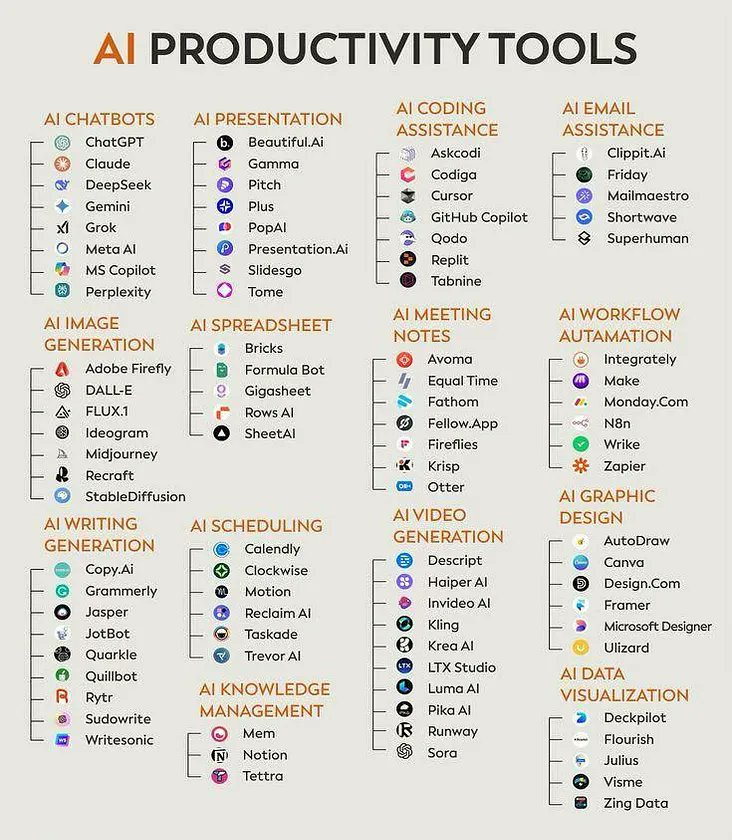
The best AI debugging tools for 2026
Ranking AI debugging tools is difficult, as effectiveness varies depending on the project, language, and developer preferences. This list is based on a combination of features, user feedback, and integration capabilities as of late 2026.
1. DeepCode (now Snyk Code): Snyk Code remains a top choice for AI-powered static analysis. It identifies vulnerabilities and bugs directly within your IDE, supporting languages like JavaScript, Python, and Java. Its strength lies in its ability to detect security flaws early in the development cycle, but can sometimes produce false positives.
2. GitHub Copilot: Initially an AI pair programmer, Copilot’s debugging assistance has significantly improved. It can suggest fixes for errors, explain code behavior, and even generate unit tests. Copilot shines with Python and JavaScript projects, but its effectiveness with less common languages is limited.
3. Tabnine: Tabnine focuses on AI code completion, but proactively prevents bugs by suggesting code that avoids common errors. It supports a wide range of languages and IDEs, and learns from your coding style. While excellent for speeding up development, it doesn’t offer the in-depth analysis of dedicated debugging tools.
4. Amazon CodeGuru Reviewer: This ML-powered code reviewer integrates seamlessly with AWS services. It identifies critical issues and recommends improvements based on Amazon’s best practices. CodeGuru Reviewer is strongest for Java and Python projects running on AWS, and can be expensive for smaller teams.
5. SonarQube with AI features: SonarQube has become a central platform for code quality, and its integrated AI features are increasingly powerful. It performs static analysis, detects code smells, and tracks technical debt. Its broad language support and customizable rules make it a versatile option, but setup and configuration can be complex.
6. Codacy: Codacy provides automated code review with ML insights, focusing on code style, security, and complexity. It integrates with popular version control systems and CI/CD pipelines. Codacy is known for its clear and actionable feedback, but its free tier is limited.
7. Embold: Embold offers AI-driven software analytics and bug detection, focusing on identifying architectural issues and design flaws. It supports Java, C++, and C#. Embold is particularly useful for large, complex projects, but can be resource-intensive.
8. Veracode Static Analysis: Veracode focuses on AI-enhanced security vulnerability detection. It performs static and dynamic analysis to identify security flaws in your code. Veracode is a strong choice for organizations with strict security requirements, but it can be expensive.
9. IntelliJ IDEA Ultimate (with AI Assistant): JetBrains’ flagship IDE has integrated a powerful AI assistant that provides debugging support, code completion, and error analysis. The AI assistant is particularly effective for Java and Kotlin projects, but requires a subscription.
10. Testim: While primarily a test automation platform, Testim uses AI to create stable and reliable automated tests, which indirectly aids in debugging. It's effective for web applications and offers a low-code approach to test creation, but can be less flexible than traditional test automation frameworks.
Essential Reading: AI and Debugging for Developers

Comprehensive catalog of 66 specific debugging techniques. · Covers both software and systems debugging. · Part of the Effective Software Development Series.
This book offers a broad spectrum of debugging strategies, providing a solid foundation for understanding various fault-finding approaches.

Explores the architecture and application of foundation models in AI. · Details the engineering principles for building AI applications. · Focuses on practical implementation and development.
This resource delves into the core technologies powering modern AI, essential for comprehending the underlying mechanisms of AI-driven debugging tools.

Focuses on debugging techniques for ARM-based embedded systems. · Covers core techniques for tracing and profiling. · Addresses system-level fault diagnosis and resolution.
This book provides specialized knowledge for debugging complex embedded systems, a critical area where automated tools can offer significant advantages.
Explores the architecture and application of foundation models in AI. · Details the engineering principles for building AI applications. · Focuses on practical implementation and development.
This resource delves into the core technologies powering modern AI, essential for comprehending the underlying mechanisms of AI-driven debugging tools.
As an Amazon Associate I earn from qualifying purchases. Prices may vary.
Catching bugs before you hit run
Static code analysis involves examining code without actually executing it. Tools like Snyk Code, SonarQube, and Codacy excel in this area. They use AI to understand code semantics and identify potential bugs, such as memory leaks, null pointer exceptions, and security vulnerabilities. This is a crucial step in preventing bugs from making their way into production.
The key advantage of static analysis is its ability to catch errors early in the development cycle, when they are cheaper and easier to fix. These tools don’t require a running application or test data, making them ideal for continuous integration environments. However, static analysis can sometimes produce false positives, requiring developers to manually investigate the reported issues.
The difference between static and dynamic analysis is fundamental. Static analysis looks for potential problems in the code itself, while dynamic analysis examines the code's behavior during runtime. Both approaches are valuable and often used in combination. Static analysis provides a broad overview of code quality, while dynamic analysis focuses on identifying issues that only manifest under specific conditions.
AI enhances static analysis by improving the accuracy of bug detection and reducing the number of false positives. Machine learning models can learn from past bug reports and code patterns to identify more subtle and complex errors. These tools are particularly effective at finding security vulnerabilities, which can be difficult to detect manually.
Runtime Error Detection & Root Cause Analysis
Runtime error detection focuses on analyzing code during execution to identify and diagnose errors. Tools like Amazon CodeGuru Reviewer (when used with dynamic analysis) and specialized debugging proxies fall into this category. They help pinpoint the root cause of errors, even in complex, distributed systems.
AI plays a critical role in runtime error detection by enabling features like intelligent breakpoints, anomaly detection, and automated log analysis. Intelligent breakpoints automatically pause execution when a potential issue is detected, providing developers with valuable context. Anomaly detection identifies unusual behavior that may indicate a bug.
Automated log analysis is particularly useful for diagnosing errors in production environments. AI algorithms can sift through massive amounts of log data to identify patterns and correlations that would be impossible for a human to find. This allows developers to quickly identify the root cause of errors and implement fixes.
These tools often provide suggestions for fixing errors, based on their understanding of the code and the error context. This can significantly reduce the time it takes to debug and resolve issues. The ability to replay execution traces and inspect variable values at different points in time is also invaluable for root cause analysis.
AI-Powered Test Generation
Testim and GitHub Copilot demonstrate the growing potential of AI in test generation. These tools automatically generate test cases based on your code and specifications. This can significantly improve code coverage and reduce the risk of regressions.
AI-generated tests can take several forms, including unit tests, integration tests, and end-to-end tests. Unit tests verify the functionality of individual code units, while integration tests ensure that different components work together correctly. End-to-end tests simulate real user scenarios.
However, it’s important to understand the limitations of AI-generated tests. They are not a replacement for thoughtful manual testing. AI-generated tests may miss edge cases or fail to capture the full complexity of the application. They should be used as a complement to manual testing, not as a substitute.
The effectiveness of AI-generated tests depends on the quality of the input data and the sophistication of the AI algorithms. It’s crucial to review and refine the generated tests to ensure they are accurate and comprehensive. A good strategy is to use AI to generate a baseline set of tests, then manually add more tests to cover specific scenarios.
Integration with IDEs & CI/CD Pipelines
Seamless integration with popular IDEs and CI/CD pipelines is critical for maximizing developer productivity. Most of the tools listed above offer plugins or extensions for common development environments like VS Code and IntelliJ IDEA. This allows developers to access AI debugging features directly within their existing workflow.
Integration with CI/CD pipelines enables automated debugging as part of the build and deployment process. This can help catch bugs before they reach production, reducing the risk of outages and improving software quality. Tools like Codacy and SonarQube are particularly well-suited for this purpose.
A well-integrated AI debugging tool can automatically analyze code changes, identify potential issues, and provide feedback to developers before they commit their code. This proactive approach to debugging can significantly reduce the time and effort required to fix bugs.
The level of integration varies between tools. Some offer deep integration with specific IDEs and CI/CD platforms, while others provide more limited support. When choosing an AI debugging tool, consider its integration capabilities and how well it fits into your existing development workflow.
AI-Powered Debugging Tool Integration Comparison - 2026
| Tool | IDE Integration | CI/CD Pipeline Integration | Supported Languages |
|---|---|---|---|
| DeepCode (now Snyk Code) | VS Code, IntelliJ, GitHub | GitHub Actions, GitLab CI, Jenkins | JavaScript, Python, Java, C# |
| GitHub Copilot | VS Code, JetBrains IDEs, Neovim | GitHub Actions | Wide range, excels with Python, JavaScript, TypeScript, Java |
| Tabnine | VS Code, IntelliJ, Sublime Text, Eclipse | GitHub Actions, GitLab CI, Azure DevOps | Python, JavaScript, Java, C++, C# |
| Amazon CodeGuru Reviewer | AWS Cloud9, VS Code (via extension) | AWS CodePipeline, Jenkins | Java, Python, JavaScript, TypeScript |
| SonarQube with AI features | VS Code, IntelliJ, Eclipse (via plugins) | Jenkins, GitLab CI, Azure DevOps, AWS CodePipeline | 700+ languages |
| Codacy | VS Code, IntelliJ, GitHub | Jenkins, GitLab CI, Azure DevOps, CircleCI | JavaScript, Python, Java, Ruby, PHP, C# |
| Embold | IntelliJ, VS Code (limited support) | Jenkins, TeamCity | Java, JavaScript, Python, C++ |
| Veracode Static Analysis | VS Code, Eclipse (via plugin) | Jenkins, Azure DevOps, GitLab CI | Java, C#, JavaScript, Python, PHP |
Qualitative comparison based on the article research brief. Confirm current product details in the official docs before making implementation choices.

No comments yet. Be the first to share your thoughts!