The shift toward automated debugging
Debugging has always been a necessary evil for developers. We’ve relied on breakpoints, print statements, and a lot of careful thinking to track down the source of errors. But as codebases get larger and more complex, these traditional methods are starting to show their age. It’s simply becoming too time-consuming and difficult to manually sift through millions of lines of code.
That’s where AI comes in. AI-powered debugging tools are changing the game, offering automated code analysis, machine learning-based bug detection, and intelligent suggestions for fixes. These tools aren’t about replacing developers – they’re about augmenting our abilities and letting us focus on the bigger picture: building innovative and reliable software.
The rise of AI isn’t just a response to codebase size. Modern applications are increasingly dynamic, incorporating complex interactions and dependencies. Traditional debugging often struggles with these scenarios, while AI can learn from code behavior and identify subtle patterns that humans might miss. The BrowserStack Breakpoint 2026 conference really highlights this shift, with a strong focus on AI in testing.
This isn't about a simple shift in tools, but a fundamental change in the debugging process. We're moving from reactive problem-solving (finding bugs after they appear) to proactive prevention (identifying potential issues before they cause problems). The tools below represent the cutting edge of that transformation.
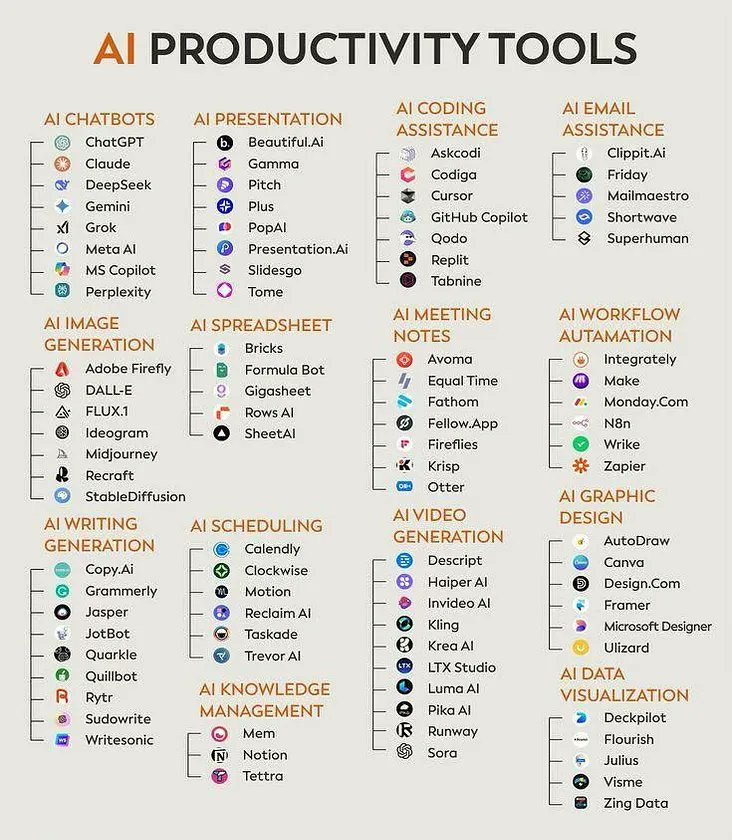
10 tools to try in 2026
The market for AI debugging tools is rapidly evolving. Here's a look at ten of the top contenders in 2026, each offering a unique approach to code analysis and bug detection. This isn't just about listing features; it's about understanding how these tools can genuinely improve your workflow.
1. GitHub Copilot Chat: This isn't just an AI code completion tool anymore. Copilot Chat now boasts advanced debugging capabilities, allowing you to ask questions about your code and receive intelligent suggestions for resolving issues. It's particularly strong at explaining complex code blocks and identifying potential errors in real-time. Supported languages: All major languages. Excels at: Understanding context and providing tailored solutions.
2. DeepCode by Snyk: DeepCode leverages AI-powered static analysis to identify potential bugs and security vulnerabilities before you even run your code. It goes beyond simple linting, looking for complex code patterns that indicate deeper problems. The benefit? Catching issues early saves significant time and effort later. Supported languages: JavaScript, Python, Java, C++. Excels at: Preventing common coding errors and security flaws.
3. Amazon CodeGuru Reviewer: CodeGuru Reviewer uses machine learning to automate code reviews, identifying critical issues and recommending improvements. It’s particularly good at finding performance bottlenecks and suggesting optimizations. The integration with AWS makes it a natural choice for teams already invested in the Amazon ecosystem. Supported languages: Java, Python, JavaScript, TypeScript. Excels at: Performance optimization and code quality.
4. Tabnine AI Code Assistant: Tabnine focuses on providing intelligent code completion and bug detection as you type. It learns from your coding style and suggests relevant fixes, reducing errors and improving productivity. It's a great option for developers who want a seamless, integrated debugging experience. Supported languages: All major languages. Excels at: Real-time error detection and code completion.
5. SonarQube with AI Enhancement: SonarQube has long been a leader in code quality analysis. The 2026 version adds significant AI enhancements, improving its ability to identify complex bugs and security vulnerabilities. It provides a comprehensive overview of your codebase’s health, highlighting areas that need attention. Supported languages: Over 30 languages. Excels at: Comprehensive code quality analysis and security scanning.
6. Codacy AI-powered code quality platform: Codacy combines static analysis with AI-powered insights to help you improve your code quality and reduce technical debt. It provides detailed reports on code style, security vulnerabilities, and potential bugs. It’s a good choice for teams that want a data-driven approach to code quality. Supported languages: JavaScript, Python, Java, Ruby, PHP, C#. Excels at: Tracking code quality metrics and identifying technical debt.
7. Veracode Static Analysis: Veracode focuses on identifying security vulnerabilities in your code through static analysis. The AI-enhanced version improves its accuracy and reduces false positives, helping you prioritize the most critical issues. It's a valuable tool for organizations that prioritize security. Supported languages: Java, .NET, JavaScript, PHP, C/C++. Excels at: Security vulnerability detection and compliance.
8. JetBrains AI Assistant: Integrated directly into the JetBrains IDEs (like IntelliJ IDEA and PyCharm), this assistant provides intelligent code completion, debugging suggestions, and refactoring assistance. It’s a powerful tool for developers already using the JetBrains ecosystem. Supported languages: All languages supported by JetBrains IDEs. Excels at: Seamless integration with JetBrains IDEs and intelligent code assistance.
9. Microsoft IntelliCode: IntelliCode uses AI to provide predictive debugging suggestions, helping you identify and fix errors more quickly. It learns from your coding patterns and suggests relevant fixes, improving your productivity. It's a good choice for developers working in the Microsoft ecosystem. Supported languages: C#, JavaScript, TypeScript, Python. Excels at: Predictive debugging and code completion.
10. Sourcery AI: Sourcery focuses on automated code improvement, identifying opportunities to simplify your code and make it more readable. It uses AI to suggest refactorings that improve code quality and reduce technical debt. Supported languages: Python. Excels at: Automated code refactoring and simplification.
Top 10 AI-Powered Debugging Tools in 2026: A Comparative Overview
| Tool | Primary Focus | Ease of Use | Integration | Language Support | Unique Strength |
|---|---|---|---|---|---|
| GitHub Copilot Chat (with advanced debugging features) | Runtime Error Detection & Explanation 💡 | Intermediate | IDE (VS Code, JetBrains), limited CI/CD | Web, Python, JavaScript, C++ | Natural language debugging assistance; explains errors in plain English. |
| DeepCode by Snyk (AI-powered static analysis) | Security Vulnerabilities & Code Quality | Intermediate | IDE, CI/CD pipelines | Web, Mobile, Cloud | Specializes in identifying and preventing security flaws early in development. |
| Amazon CodeGuru Reviewer (ML-based code review) | Static Analysis & Performance Optimization | Intermediate | AWS ecosystem, limited IDE integration | Java, Python, JavaScript, TypeScript | Leverages machine learning to detect critical code defects and recommend improvements. |
| Tabnine AI Code Assistant (with bug detection) | Code Completion & Potential Bug Identification | Beginner | IDE, limited CLI | Broad - supports many languages including Python, JavaScript, Java, C++ | Focuses on proactive bug prevention through intelligent code suggestions. |
| SonarQube with AI enhancement | Static Analysis & Code Quality | Advanced | CI/CD, IDE (via plugins) | Over 30 languages including Java, C#, Python, JavaScript | Comprehensive code quality and security analysis with AI-driven rule prioritization. |
| Codacy AI-powered code quality platform | Static Analysis & Code Style | Intermediate | CI/CD, GitHub, GitLab, Bitbucket | JavaScript, Python, Java, Ruby, PHP | Automated code reviews with a strong focus on maintainability and code style. |
| Veracode Static Analysis (AI-enhanced) | Security Vulnerabilities (Static) | Advanced | CI/CD, DevOps pipelines | Wide range including Java, .NET, C++, JavaScript | In-depth static analysis geared towards identifying and remediating security risks. |
| JetBrains AI Assistant (integrated debugging) | Runtime Analysis & Code Understanding | Intermediate | JetBrains IDEs (IntelliJ, PyCharm, etc.) | Java, Kotlin, Python, JavaScript | Seamlessly integrated debugging experience within JetBrains IDEs, leveraging AI for code comprehension. |
| Microsoft IntelliCode (predictive debugging) | Code Completion & Bug Prediction | Beginner | VS Code, Visual Studio | C#, C++, JavaScript, TypeScript, Python | Provides intelligent code completion and suggests fixes based on code context. |
| Sourcery AI (automated code improvement) | Code Refactoring & Readability | Intermediate | CLI, CI/CD | Python | Automated code refactoring to improve code quality and readability specifically for Python projects. |
Illustrative comparison based on the article research brief. Verify current pricing, limits, and product details in the official docs before relying on it.
AI and Security Vulnerabilities
Security is paramount in modern software development. AI-powered debugging tools are increasingly being used to identify security vulnerabilities in code, such as SQL injection, cross-site scripting (XSS), and buffer overflows. Veracode Static Analysis and DeepCode by Snyk are particularly strong in this area.
These tools scan for patterns linked to SQL injection or cross-site scripting. They also track how data moves into external systems. They aren't a substitute for a full security audit, but they catch the obvious mistakes before they reach production.
The benefit of using AI for security analysis is that it can automate the process and identify vulnerabilities that might be missed by human reviewers. It can also help you prioritize the most critical vulnerabilities, allowing you to focus your efforts on the areas that pose the greatest risk. Ultimately, AI-powered security analysis is a crucial component of a comprehensive security strategy.
Where debugging goes from here
The field of AI-powered debugging is still in its early stages, and we can expect to see significant advancements in the coming years. One exciting area of research is AI-driven code repair, where AI automatically suggests fixes for bugs. Imagine an IDE that can not only identify errors but also automatically correct them!
Automated testing is another area where AI is poised to make a big impact. AI can be used to generate test cases, identify edge cases, and automatically validate code changes. This can significantly reduce the time and effort required for testing, while also improving the quality of your software. We’re also likely to see AI become better at understanding complex codebases and identifying subtle bugs that are difficult for humans to find.
There are challenges ahead, of course. Training AI models requires large amounts of data, and ensuring that these models are accurate and reliable is a significant undertaking. However, the potential benefits of AI-powered debugging are so great that it’s clear this technology will play an increasingly important role in the future of software development.
Featured Products

Practical guidance on using GitHub Copilot · Transforming the software development lifecycle · Leveraging AI for code generation and assistance
This handbook offers practical insights into how GitHub Copilot can revolutionize your development workflow, making it a must-read for anyone looking to enhance code quality and speed.
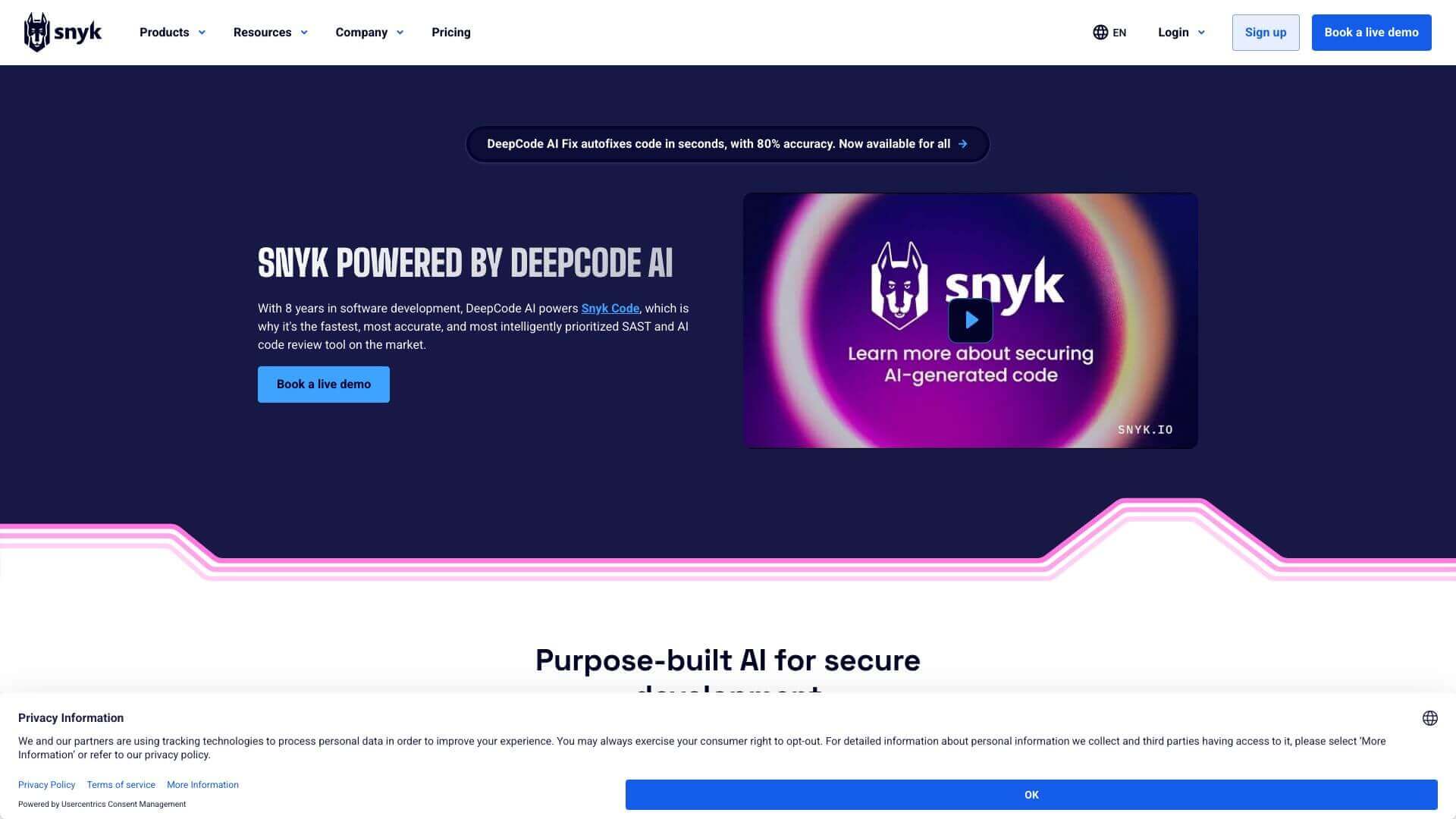
AI-powered security vulnerability detection · Static code analysis for identifying bugs and security flaws · Integration with developer workflows
Snyk Code provides advanced AI-driven analysis to proactively find and fix security vulnerabilities and code quality issues, ensuring a more secure and robust codebase.
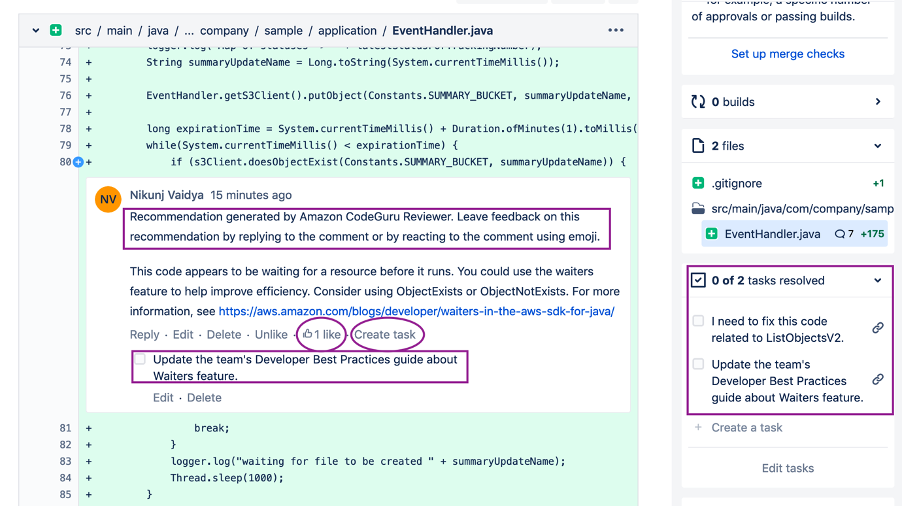
AI-powered code reviews · Automated detection of performance bottlenecks and security vulnerabilities · Recommendations for code optimization
Amazon CodeGuru Reviewer uses machine learning to automate code reviews, identifying critical issues like performance inefficiencies and security risks to improve code quality and reduce operational costs.

AI-powered code completion · Supports multiple programming languages · Learns from your project's context for personalized suggestions
Tabnine acts as an intelligent pair programmer, offering context-aware code completions that significantly speed up development and reduce errors by understanding your coding patterns.
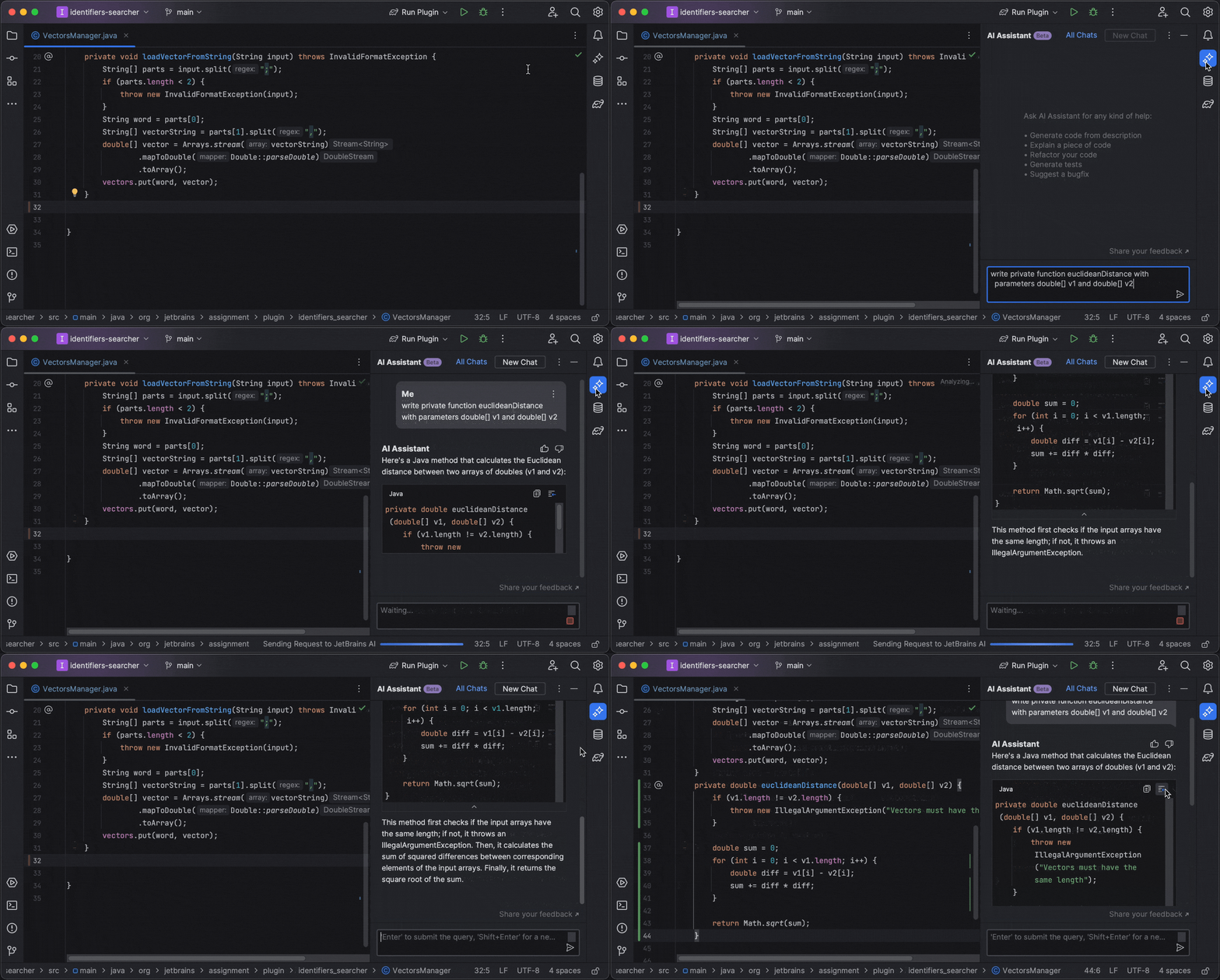
Integrated AI assistance within JetBrains IDEs · Code generation, explanation, and refactoring · Contextual understanding of your project
Seamlessly integrated into your favorite JetBrains IDE, the AI Assistant provides powerful code generation, explanation, and refactoring capabilities directly within your development environment.
As an Amazon Associate I earn from qualifying purchases. Prices may vary.

No comments yet. Be the first to share your thoughts!