Remote teams need better bug tracking
Remote work kills the quick whiteboard session. When your team is spread across time zones, you lose the spontaneous fixes that happen in person. Instead, you get stuck in a loop of context switching and hunting through Slack logs for a bug description that should have been centralized hours ago.
Traditional bug tracking tools often exacerbate these problems. Many were designed with the assumption that developers are physically close enough to clarify ambiguities in person. They lack the robust collaboration features and streamlined workflows needed to support asynchronous communication and maintain a shared understanding of issues. I've seen too many projects stall because of miscommunication around a bug.
By 2026, relying on outdated methods is no longer acceptable. The shift towards remote and hybrid work is permanent, and teams need tools that are specifically built for this new reality. We need solutions that prioritize clear communication, seamless integration with existing workflows, and a centralized source of truth for all bug-related information. It's no longer about just tracking bugs; it’s about enabling effective collaboration and rapid resolution, regardless of location.
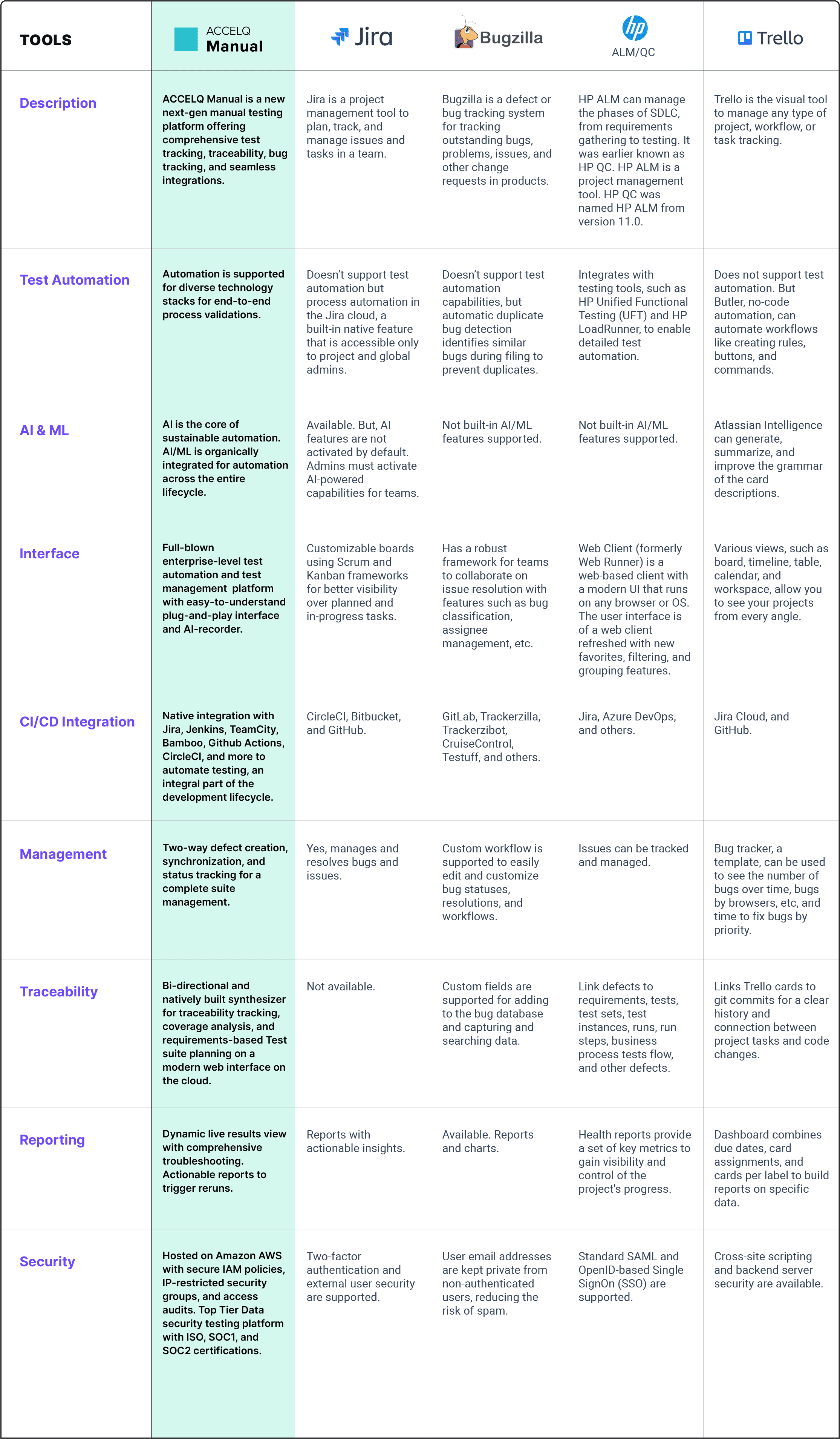
Linear, Notion, and the new players
Linear is the current favorite for teams that hate clutter. It is fast, keyboard-centric, and stays out of the way. While older tools feel like spreadsheets with too many buttons, Linear is built for speed.
Notion, while not a dedicated bug tracking tool, has gained popularity as a flexible all-in-one workspace. Its database features can be customized to track bugs, but it requires significant setup and may lack the specialized features of dedicated solutions. It really shines for teams already heavily invested in the Notion ecosystem, but it's a compromise.
Beyond these established players, several newer tools are gaining traction. Jira Service Management continues to evolve, adding more developer-focused features alongside its traditional IT service desk capabilities. Bugsnag, focused heavily on error monitoring, provides detailed crash reports and integrates well with CI/CD pipelines. Sentry is another strong contender in the error tracking space, offering similar capabilities to Bugsnag with a focus on performance monitoring as well.
ClickUp is attempting to become an all-in-one solution, including bug tracking. It’s feature-rich, but that comes at the cost of complexity. It can feel overwhelming for teams just looking for a focused bug tracker. Canny differentiates itself by focusing on customer feedback and feature requests, making it ideal for product teams that want to prioritize bugs based on user impact.
Linear excels with small to medium-sized engineering teams (under 50 developers) that value speed and a focused workflow. Notion is best suited for teams already heavily invested in the Notion ecosystem and willing to invest time in customization. Jira Service Management is a good fit for larger organizations that need to integrate bug tracking with IT service management processes. Bugsnag and Sentry are ideal for teams prioritizing error monitoring and performance tracking. Canny stands out for product teams focused on user feedback.
What sets Linear apart is its commitment to a streamlined workflow. It’s not trying to be everything to everyone, and that focus is its strength. Notion’s strength is its flexibility, but that flexibility comes at the cost of ease of use for dedicated bug tracking. Jira’s strength is its enterprise features, but it can be overkill for smaller teams. The newer players are trying to carve out niches – Bugsnag and Sentry with error monitoring, Canny with user feedback – and are succeeding by offering specialized solutions.
Optimize Your Remote Development Workflow: Essential Accessories for Bug Tracking

Quiet Perfect-Stroke Keys for comfortable typing · Logi Bolt Technology for secure wireless connectivity · Rechargeable battery with long-lasting performance
This keyboard enhances focus and productivity for remote developers with its quiet, comfortable keys and reliable wireless connection.

Industry-leading noise cancellation for deep concentration · 30-hour battery life for extended work sessions · Crystal-clear calls with beamforming microphones
These headphones create an optimal work environment by eliminating distractions, allowing developers to concentrate fully on their bug tracking tasks.

27-inch 4K UHD resolution for sharp, detailed visuals · Wide connectivity options including USB-C · Ergonomic stand for comfortable viewing angles
This monitor provides a large, high-resolution workspace essential for visualizing complex code and bug reports, boosting developer efficiency.

12 ports for comprehensive connectivity · 60W Power Delivery for charging laptops · Supports dual displays with 4K HDMI and DisplayPort
This docking station streamlines the remote workspace by consolidating essential peripherals and providing robust connectivity for seamless multitasking.
As an Amazon Associate I earn from qualifying purchases. Prices may vary.
Collaboration that actually works
Simply assigning a bug to a developer isn't enough for effective remote collaboration. The best bug tracking tools offer features that facilitate ongoing communication and shared understanding. Linear’s commenting system is particularly strong, allowing developers to discuss issues directly within the bug report. It feels more integrated than traditional comment threads.
Notion’s collaborative features are inherent to its design, but require more manual setup. Real-time editing and in-line commenting are available, but linking bugs to code commits requires custom integrations. Jira Service Management offers robust collaboration features, including email notifications and integration with Confluence for detailed documentation. Bugsnag and Sentry provide detailed error reports that can be shared with the team, but their collaboration features are less focused on discussion and more on providing technical information.
Real-time updates are essential for keeping everyone informed. Tools that integrate with Slack or Discord provide immediate notifications when bugs are updated or assigned. The ability to link bugs to specific code commits is also crucial, allowing developers to quickly understand the context of the issue. I’m seeing more tools offering integrations with Git providers like GitHub and GitLab.
Asynchronous communication is paramount for remote teams. Tools that allow for detailed bug reports with clear steps to reproduce, screenshots, and videos are invaluable. The ability to create templates for common bug types can also save time and ensure consistency. The goal is to minimize the need for back-and-forth communication and provide developers with all the information they need to resolve the issue quickly.
Automating the boring stuff
Customizable workflows are critical for adapting a bug tracking tool to a team's specific processes. Linear allows for the creation of custom statuses and automated transitions, enabling teams to define their own bug resolution workflow. This is a major selling point for teams with well-defined processes.
Notion’s flexibility allows for highly customized workflows, but requires more manual configuration. You can create custom views and automations, but it’s not as intuitive as Linear’s built-in features. Jira Service Management offers a wide range of workflow customization options, but can be complex to set up. Bugsnag and Sentry focus more on automated error detection and reporting, with less emphasis on workflow customization.
Automated assignments based on bug type or priority can significantly reduce manual effort. For example, critical bugs could be automatically assigned to the on-call developer. Integration with CI/CD pipelines allows for automated bug verification and regression testing. I've found that automating the initial triage process can save a significant amount of time.
Handling recurring bugs effectively is another key consideration. The ability to link duplicate bugs and track their resolution history can prevent developers from wasting time on issues that have already been addressed. Some tools also offer features for identifying root causes and preventing recurring bugs from occurring in the first place.
Integrations: Connecting Your Stack
Seamless integrations with existing tools are essential for a smooth development workflow. Linear integrates with GitHub, GitLab, and Bitbucket, allowing developers to link bugs to code commits and track changes. It also integrates with Slack for notifications. Notion integrates with a wide range of tools through its API, but requires more technical expertise to set up.
Jira Service Management offers integrations with Atlassian’s suite of tools, including Confluence and Bitbucket. It also integrates with a variety of third-party tools, such as Slack and Microsoft Teams. Bugsnag and Sentry integrate with popular testing frameworks and CI/CD pipelines, providing detailed error reports and performance metrics. Canny integrates with customer support tools like Intercom and Zendesk, allowing product teams to prioritize bugs based on user feedback.
Some integrations are just marketing checkboxes that barely sync data. I prefer tools with open APIs and active communities because they actually work when you connect them to GitHub. Check the last update date on the integration before you commit to a tool.
Integration with project management tools like Jira and Asana is also crucial for maintaining alignment between development and project management teams. The ability to automatically create tasks in project management tools based on bug reports can streamline the workflow and ensure that bugs are addressed in a timely manner.
Bug Tracking Tool Comparison: Remote Development Teams - 2026
| Tool Name | GitHub Integration | GitLab Integration | Slack Integration | CI/CD Integration |
|---|---|---|---|---|
| Linear | Highly refined for GitHub workflows | Limited direct integration, relies on webhooks | Excellent, with robust notification options | Good, supports connections to common CI/CD platforms |
| Notion | Basic, requires third-party integrations | Basic, requires third-party integrations | Good, via integrations and webhooks | Limited, best suited for manual triggering |
| Jira Software | Excellent, a long-standing industry standard | Excellent, a long-standing industry standard | Excellent, extensive integration options | Excellent, integrates with nearly all CI/CD tools |
| Shortcut | Excellent, designed for software development | Good, with increasing feature support | Good, with customizable notifications | Good, supports connections to popular CI/CD systems |
| ClickUp | Good, via power-ups and integrations | Good, via power-ups and integrations | Excellent, strong native Slack integration | Basic, requires Zapier or similar for advanced connections |
| Azure DevOps | Excellent, native integration with Azure Repos | Excellent, integrates with GitLab via extensions | Good, through Microsoft Teams integration | Excellent, core component of the Azure DevOps ecosystem |
Qualitative comparison based on the article research brief. Confirm current product details in the official docs before making implementation choices.
Pricing and Scalability: What Will It Cost?
Pricing models vary significantly across bug tracking tools. Linear offers a straightforward per-user pricing model, with different tiers based on features and support. Notion’s pricing is based on the number of blocks used, which can be difficult to predict. Jira Service Management’s pricing is complex and depends on the number of agents and features required.
Bugsnag and Sentry offer free plans for small teams, with paid plans based on the number of events tracked. Canny’s pricing is based on the number of feature requests and users. It’s important to carefully consider the pricing model and choose a tool that fits your budget and team size.
Scalability is another important consideration. Some tools are better suited for small teams, while others can handle large enterprises. Linear is a good choice for small to medium-sized teams, while Jira Service Management is better suited for larger organizations. The ability to easily add or remove users and scale your plan as your team grows is essential.

No comments yet. Be the first to share your thoughts!