How remote work changed bug reporting
Remote work killed the 'shoulder tap' bug report. When you can't walk over to a desk to show a dev a broken UI element, your tracking tool becomes your only source of truth. I've found that without a strict logging system, bugs discussed in Slack threads simply vanish once the scrollback moves on.
Maintaining visibility across a distributed team is a significant challenge. Without a central place to log, prioritize, and track issues, bugs can easily fall through the cracks. Time zone differences compound the problem, making spontaneous collaboration difficult. Good bug tracking tools actively mitigate these issues, providing a single source of truth and facilitating clear communication.
The core need hasn’t changed – we still need to identify, report, and fix bugs. But how we do it has to adapt. Tools need to support asynchronous workflows, provide clear context, and be accessible to everyone, regardless of location. It’s about building a system that preserves team cohesion and efficiency even when everyone is working apart. That's why the choice of bug tracking tools is more important than ever.
Jira: the heavy-duty option
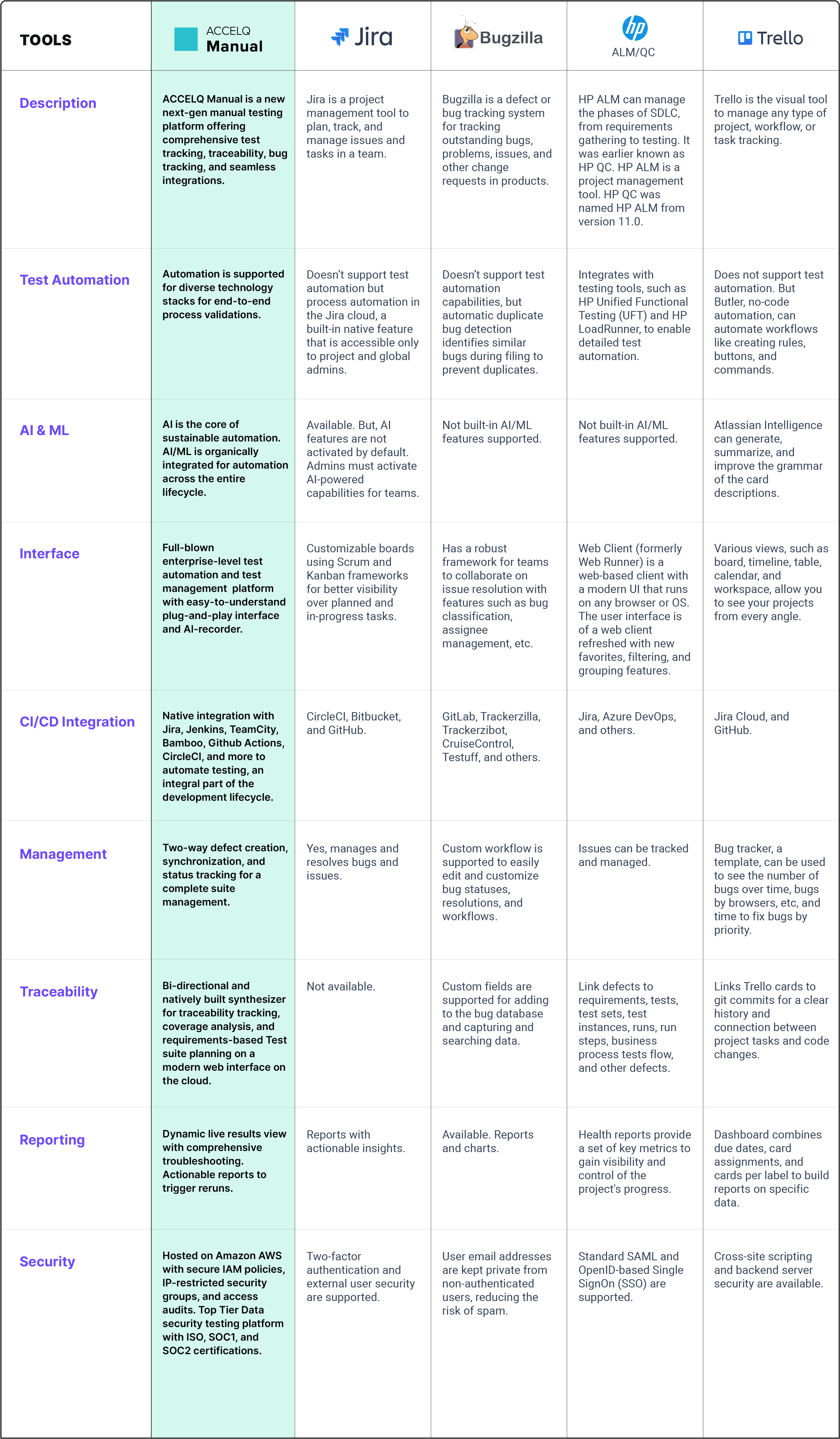
Jira is the default choice for a reason, but that reason is often 'nobody ever got fired for buying IBM.' It handles every issue type imaginable—bugs, stories, tasks—and lets you build workflows as complex as your legal department requires. It is flexible, but that flexibility usually feels like a burden for teams under 50 people.
One of Jira’s biggest strengths is its integration with other Atlassian products like Confluence and Bitbucket. This creates a seamless ecosystem for documentation, code management, and issue tracking. For larger teams and complex projects, this integration can be a huge time-saver. Jira's reporting capabilities are also powerful, allowing teams to track bug resolution times, identify recurring issues, and measure overall quality.
However, Jira isn’t without its drawbacks. The learning curve can be steep, especially for new users. The cost can also be a barrier for smaller teams or individual developers. And, perhaps most importantly, its extensive customizability can lead to bloat if not managed carefully. It’s easy to get lost in a sea of custom fields and complex workflows. As of late 2025, pricing starts at around $8.15 per user per month, but this can quickly increase with add-ons and increased user count (atlassian.com).
Despite these potential downsides, Jira remains a solid choice for organizations that need a powerful and flexible bug tracking solution. It's a mature product with a large user base and a wealth of resources available.
Linear: built for speed
Linear is built for speed. It assumes you don't want to spend your morning clicking through dropdown menus. The interface is minimalist, focusing on keyboard shortcuts that make logging a bug feel as fast as typing a message. It is the best option I've used for teams that actually enjoy their tools.
One of Linear’s standout features is its keyboard-centric approach. Almost everything can be done using keyboard shortcuts, which can significantly speed up your workflow. It also uses a unique “cycles” system to help teams prioritize and manage their work. The interface is clean and intuitive, making it easy to learn and use. This focus on simplicity appeals to teams that want a tool that’s easy to adopt and doesn’t require extensive training.
However, Linear’s simplicity comes at a cost. It offers less customizability than Jira, and it has fewer integrations with other tools. This means it might not be a good fit for teams with complex workflows or those who rely heavily on integrations. It’s also generally better suited for smaller, faster-moving teams. Larger organizations might find its limitations too restrictive. While Linear offers a free tier for individuals, team plans start around $8 per user per month.
Notion: the DIY approach
Notion isn’t specifically a bug tracking tool, but its flexible database features allow you to create custom bug trackers. This makes it an attractive option for teams that already use Notion for project management, documentation, and other tasks. The appeal lies in its ability to centralize all your work in one place.
Notion’s strengths include its flexibility, collaboration features, and its ability to integrate bug tracking with other project documentation. You can create custom views, filters, and properties to track bugs in a way that suits your team’s needs. Its collaborative editing features also make it easy for team members to discuss and resolve issues together. The ability to embed other content – code snippets, screenshots, videos – directly into bug reports is a significant advantage.
However, it’s important to be realistic about Notion’s limitations. It’s not a dedicated bug tracker, so it lacks some of the specialized features of Jira or Linear, such as advanced workflow automation or detailed reporting. Setting up a bug tracker in Notion requires more manual effort and maintenance. You’ll need to create and configure the database yourself, and you’ll be responsible for maintaining its structure and organization. It's a powerful tool, but it demands more setup investment.
My recommendation for remote teams
When considering remote team dynamics, the importance of asynchronous communication and clear context becomes paramount. Jira’s extensive documentation and reporting features can be valuable for teams working across time zones, ensuring everyone has access to the information they need. However, its complexity can also be a barrier to adoption.
Linear’s speed and simplicity make it well-suited for remote teams that prioritize rapid iteration and efficient communication. Its keyboard-centric approach can help developers stay focused and productive, even when working asynchronously. Notion’s collaborative features and ability to integrate bug tracking with other project documentation can also be beneficial for remote teams.
For a fully distributed team, I’d lean towards Linear. Its speed and ease of use minimize friction and facilitate quick communication. For a hybrid team with some in-person collaboration, Jira might be a better fit, as its advanced features can support more complex workflows. Notion is a good option for teams that already rely on it for other tasks and want to centralize their work in one place.
Bug Tracking Tool Comparison: Jira vs. Linear vs. Notion (2026)
| Criteria | Jira | Linear | Notion |
|---|---|---|---|
| Ease of Use | Fair - Can be complex to set up and navigate initially. | Excellent - Known for its clean, intuitive interface. | Good - Usability depends on existing familiarity with Notion’s workspace concept. |
| Customizability | Excellent - Highly customizable workflows, fields, and issue types. | Good - Offers customization, but less extensive than Jira. | Fair - Customization is possible through databases and properties, but less geared towards dedicated bug tracking. |
| Integrations | Excellent - Extensive marketplace with integrations for many development tools. | Good - Growing number of integrations, focusing on modern development workflows. | Fair - Integrations are available, but often require third-party tools or custom setup. |
| Reporting | Good - Robust reporting capabilities, but can require configuration. | Good - Provides clear and focused reporting on issue status and progress. | Fair - Reporting relies on database views and requires manual configuration. |
| Suitability for Small Teams | Fair - Can be overkill for very small teams with simple needs. | Excellent - Designed with smaller, fast-moving teams in mind. | Good - Suitable if the team already uses Notion for other project management. |
| Suitability for Large Teams | Excellent - Well-suited for large, complex projects and enterprises. | Good - Scaling is possible, but may require more discipline in workflow management. | Fair - Can become unwieldy for very large teams and complex projects. |
Qualitative comparison based on the article research brief. Confirm current product details in the official docs before making implementation choices.
User Feedback: What Developers Are Saying
Recent discussions on Reddit and Twitter paint a mixed picture. Many developers praise Linear’s speed and simplicity, particularly those working on smaller teams. One developer on r/programming commented, “Linear just feels faster than Jira. It’s less clicky and more focused.” However, others express concerns about its lack of customizability. A Twitter user noted, “Linear is great for simple projects, but it falls short when you need more complex workflows.”
Jira consistently receives both praise and criticism. Some developers appreciate its power and flexibility, while others find it overwhelming and bloated. A common complaint on Reddit is that Jira requires too much administrative overhead. Notion users generally praise its flexibility and integration capabilities, but also acknowledge that it’s not a dedicated bug tracking tool. One Reddit user said, “Notion is great for everything, but it’s not amazing at bug tracking.”
Essential Tools for Seamless Bug Tracking in Remote Teams

JIRA 7 specific guidance · Bug tracking workflows · Project management best practices
Jira is a powerful and widely-used tool for issue and project tracking, offering extensive customization for bug management.

Bug tracking system fundamentals · Implementation strategies · Best practices for quality assurance
This guide provides a thorough overview of bug tracking systems, essential for establishing effective processes for remote teams.

Project planning · Team collaboration · Task management
Understanding core project management principles is vital for any remote team, laying the groundwork for efficient bug tracking and development.
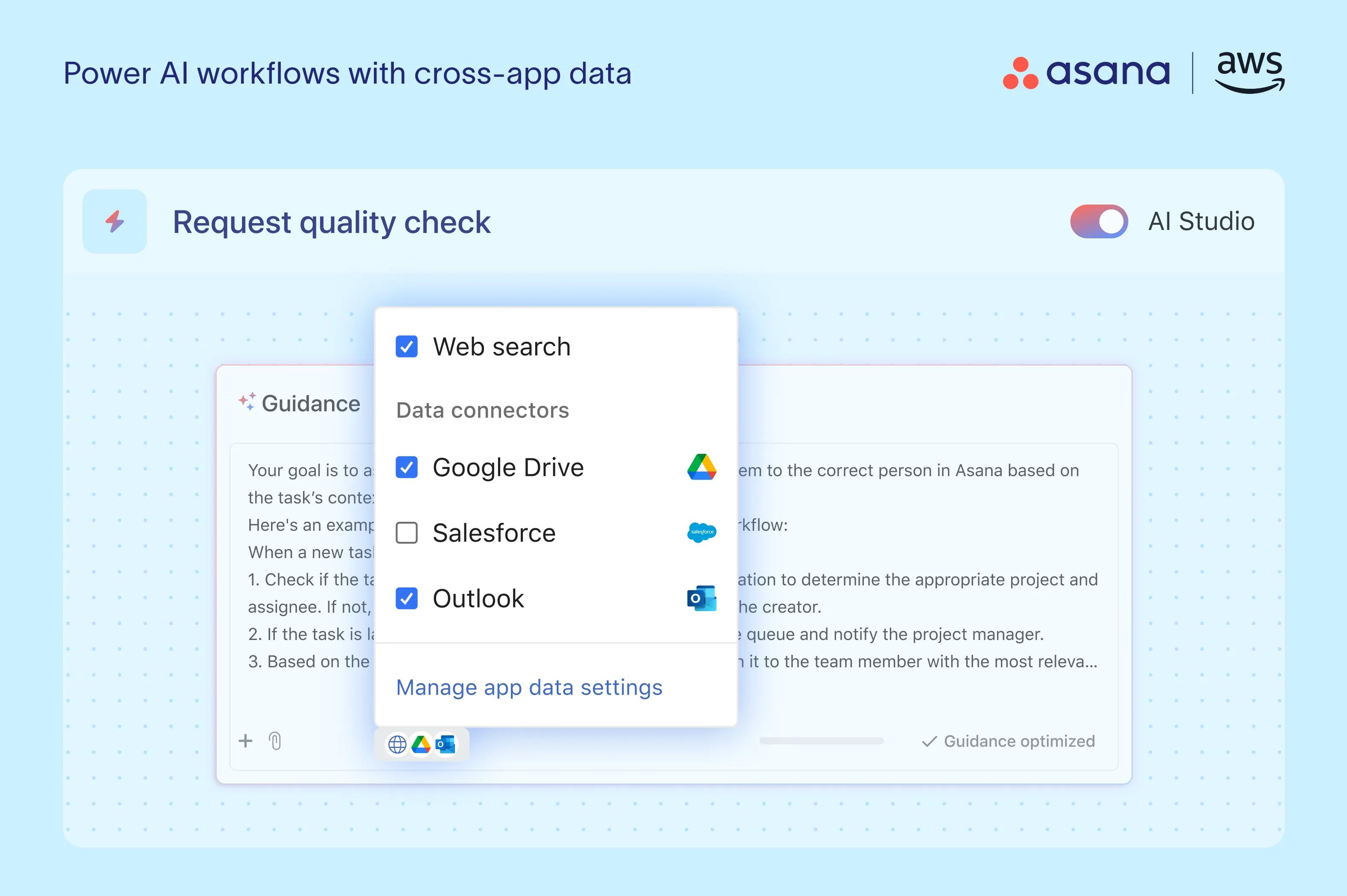
Task and project tracking · Customizable workflows · Team collaboration features
Asana is a popular and versatile tool that can be adapted for bug tracking, offering a user-friendly interface for remote collaboration.
Bug tracking system fundamentals · Implementation strategies · Best practices for quality assurance
This guide provides a thorough overview of bug tracking systems, essential for establishing effective processes for remote teams.
As an Amazon Associate I earn from qualifying purchases. Prices may vary.

No comments yet. Be the first to share your thoughts!