The shift to automated debugging
I've spent years staring at stack traces and setting breakpoints that never seem to hit the right line. While logging is a staple, it's slow. By 2026, the shift toward automated detection isn't just a luxury; it's how we handle codebases that have grown too large for manual review.
The limitations of traditional debugging become especially apparent as software projects grow in complexity. Modern applications often involve millions of lines of code, distributed systems, and intricate interactions between different components. Identifying the root cause of a bug in such environments can feel like searching for a needle in a haystack. This is where AI steps in, offering the potential to analyze code at scale and pinpoint issues with greater accuracy.
The increasing adoption of agile methodologies and continuous integration/continuous delivery (CI/CD) pipelines further accelerates the need for automated debugging. Developers are expected to deliver code faster than ever before, and manual debugging simply can’t keep pace. AI debugging tools address this challenge by providing rapid feedback and reducing the time spent on error resolution. This allows teams to iterate more quickly and release higher-quality software.
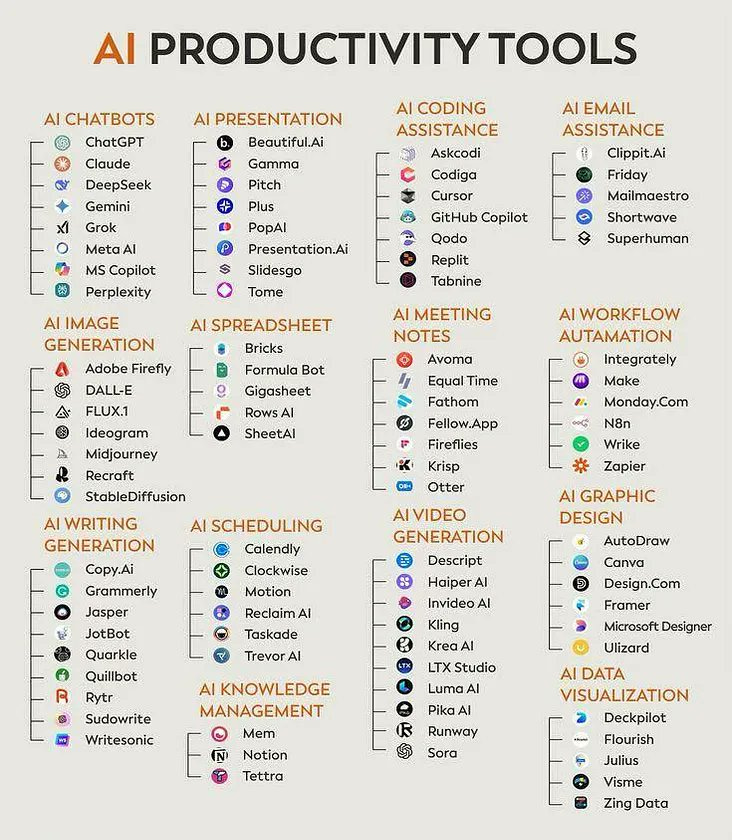
Seven tools worth using in 2026
The AI debugging landscape in 2026 is populated by a diverse range of tools, each with its unique strengths and weaknesses. These tools aren't meant to replace developers, but rather to augment their abilities and free them from repetitive tasks. They do this by analyzing code, identifying potential issues, and even suggesting fixes. Here's a look at some of the leading contenders.
DeepCode (now part of Snyk): DeepCode, acquired by Snyk, utilizes static analysis and machine learning to identify vulnerabilities and bugs in code. It supports multiple languages including Java, Python, and JavaScript, and integrates with popular IDEs like VS Code and IntelliJ. Its focus is on security vulnerabilities, but it also catches common coding errors. A key benefit is its ability to learn from a large dataset of code and provide increasingly accurate recommendations.
Codacy: Codacy provides automated code reviews and focuses on code quality and security. It integrates with GitHub, GitLab, and Bitbucket, and supports a wide range of programming languages. Codacy analyzes code for style issues, potential bugs, and security vulnerabilities, and provides detailed reports with actionable insights. It’s particularly valuable for teams that want to enforce consistent coding standards.
SonarQube: A long-standing player in the code quality space, SonarQube has incorporated AI features to enhance its bug detection capabilities. It supports over 30 programming languages and integrates with various CI/CD pipelines. SonarQube not only identifies bugs but also provides metrics on code maintainability, reliability, and security. It's a comprehensive solution for managing technical debt.
Sauce AI: Sauce AI, as highlighted by Sauce Labs, focuses on test authoring, moving from intent to execution quickly. It leverages AI to create and maintain automated tests, reducing the time and effort required for test creation. While not strictly a debugging tool, robust automated testing is a critical component of preventing bugs in the first place. It's particularly useful for web and mobile applications.
Testsigma: Testsigma bills itself It uses natural language processing (NLP) to allow users to create and execute tests without writing code. This makes it accessible to testers with limited programming experience. Testsigma supports web, mobile, and API testing, and integrates with popular CI/CD tools. It excels at regression testing, ensuring that new code changes don't introduce new bugs.
Tabnine: Tabnine is an AI code completion tool that learns from your codebase and suggests code snippets as you type. While not a dedicated debugging tool, it can help prevent bugs by suggesting correct and efficient code. It supports a wide range of IDEs and programming languages, and can significantly improve developer productivity. It’s more about proactive bug prevention than reactive bug detection.
Amazon CodeGuru: Amazon CodeGuru offers two key features: CodeGuru Reviewer and CodeGuru Profiler. Reviewer uses machine learning to identify critical issues in code, while Profiler helps identify performance bottlenecks. It supports Java, Python, and JavaScript, and integrates seamlessly with AWS services. It’s a powerful option for teams already invested in the AWS ecosystem.
Essential Reading: AI in Debugging and Software Testing
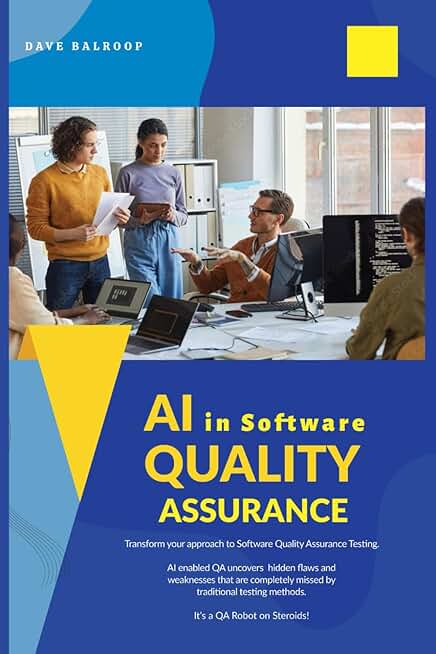
Explores the integration of AI into Software Quality Assurance (SQA) processes. · Details methodologies for transforming traditional SQA testing. · Provides insights into AI-driven test automation strategies.
This book offers a foundational understanding of how AI can revolutionize software quality assurance, providing essential context for automated bug detection.

Examines the application of machine learning techniques within software engineering. · Covers theoretical concepts and practical implementations. · Discusses the impact of ML on the software development lifecycle.
It delivers comprehensive knowledge on machine learning's role in software engineering, crucial for understanding the underlying principles of AI-powered debugging.

Focuses on practical implementation of automated machine learning (AutoML). · Covers the entire AutoML lifecycle from experimentation to production deployment. · Utilizes the H2O.ai platform for hands-on examples.
This guide provides practical, actionable steps for implementing automated machine learning, directly relevant to building and utilizing automated debugging solutions.

Outlines nine essential rules for effective debugging. · Addresses both software and hardware problem-solving. · Aims to help developers find elusive bugs efficiently.
This book offers timeless, fundamental debugging principles that are essential for any developer, complementing advanced AI tools with core problem-solving skills.
As an Amazon Associate I earn from qualifying purchases. Prices may vary.
How these tools actually work
Under the hood, AI debugging tools employ a variety of techniques to identify and resolve bugs. Static analysis involves examining code without actually executing it. This allows tools to identify potential issues such as syntax errors, code style violations, and security vulnerabilities. Machine learning algorithms are often used to improve the accuracy of static analysis and reduce false positives.
Dynamic analysis, conversely, involves executing code and monitoring its behavior. This allows tools to identify runtime errors, performance bottlenecks, and memory leaks. AI can be used to analyze execution traces and identify anomalous behavior that might indicate a bug. Anomaly detection algorithms can learn the normal behavior of a system and flag any deviations as potential issues.
Automated test case generation is another powerful AI technique. Tools can automatically generate test cases based on code coverage, boundary values, and other criteria. This helps ensure that code is thoroughly tested and that bugs are identified before they reach production. The quality of these generated tests is improving rapidly with advances in machine learning. The goal is to create tests that are both effective and efficient.
Language and framework compatibility
A critical consideration when choosing an AI debugging tool is its support for the programming languages and frameworks used in your projects. While many tools claim broad support, the level of integration and accuracy can vary significantly. Here’s a snapshot of support as of late 2026, based on available data.
It's important to note that support is constantly evolving. New languages and frameworks are added regularly, and existing support is improved. Always check the vendor's website for the most up-to-date information. Furthermore, the depth of support matters. A tool might claim to support a language, but only offer basic features.
- Python: Supported by DeepCode, SonarQube, Amazon CodeGuru, and Testsigma.
- Java: Supported by DeepCode, SonarQube, Amazon CodeGuru, and Codacy.
- JavaScript: Supported by DeepCode, SonarQube, Amazon CodeGuru, Codacy, and Tabnine.
- C++: SonarQube and Codacy (though Codacy's support is still thin here).
- React: Supported by DeepCode, SonarQube, and Codacy (through JavaScript analysis).
- Angular: Supported by DeepCode, SonarQube, and Codacy (through TypeScript/JavaScript analysis).
- Vue.js: Supported by DeepCode, SonarQube, and Codacy (through JavaScript analysis).
Content is being updated. Check back soon.
Integrating AI Debugging into Your Workflow
Successfully integrating AI debugging tools into your existing development workflow requires careful planning and execution. The first step is to identify the pain points in your current process. Where are developers spending the most time debugging? What types of bugs are the most common? Answering these questions will help you choose the right tools and configure them effectively.
Most AI debugging tools offer integrations with popular CI/CD pipelines, such as Jenkins, GitLab CI, and CircleCI. These integrations allow you to automatically analyze code for bugs and vulnerabilities as part of your build process. Integrating with your IDE (VS Code, IntelliJ, etc.) is also crucial for providing real-time feedback to developers. This allows them to catch and fix bugs before they even commit their code.
However, adoption isn't always seamless. Developers may be resistant to using new tools, especially if they perceive them as disruptive to their existing workflow. Training and clear documentation are essential for overcoming this resistance. It's also important to manage expectations. AI debugging tools are not a silver bullet; they are most effective when used in conjunction with traditional debugging techniques.
AI-Powered Debugging Tool Comparison - 2026
| Tool Name | Primary Strengths | Language Focus | Considerations |
|---|---|---|---|
| DeepSource | Static analysis and automated code reviews | Python, JavaScript, Go | May require integration into existing CI/CD pipelines. |
| Codiga | Detects code smells and vulnerabilities | Java, JavaScript, Python, C++ | Effectiveness relies on configured rule sets. |
| Stepsize | Contextual code understanding and issue tracking | JavaScript, TypeScript, Python | Best suited for projects already using VS Code. |
| MutableAI | Automated bug fixes and code suggestions | JavaScript, Python | Requires careful review of suggested changes. |
| Sauce AI | Test authoring and automated test generation | Multiple, broad support | Focus is on testing, not direct debugging of existing code. |
| Tabnine | AI-powered code completion and suggestions | Python, Java, JavaScript, C++ | Primarily assists with writing code, with some debugging benefits. |
| ErrorHero | Real-time error monitoring and analysis | JavaScript, Node.js | Strongest in web application environments. |
Qualitative comparison based on the article research brief. Confirm current product details in the official docs before making implementation choices.

No comments yet. Be the first to share your thoughts!