The state of debugging in 2026
Debugging is usually the worst part of the job. We've all spent half a day staring at a stack trace only to find a typo. By 2026, the tools have finally caught up. AI isn't just a marketing buzzword anymore; it's actually finding bugs that manual logging misses.
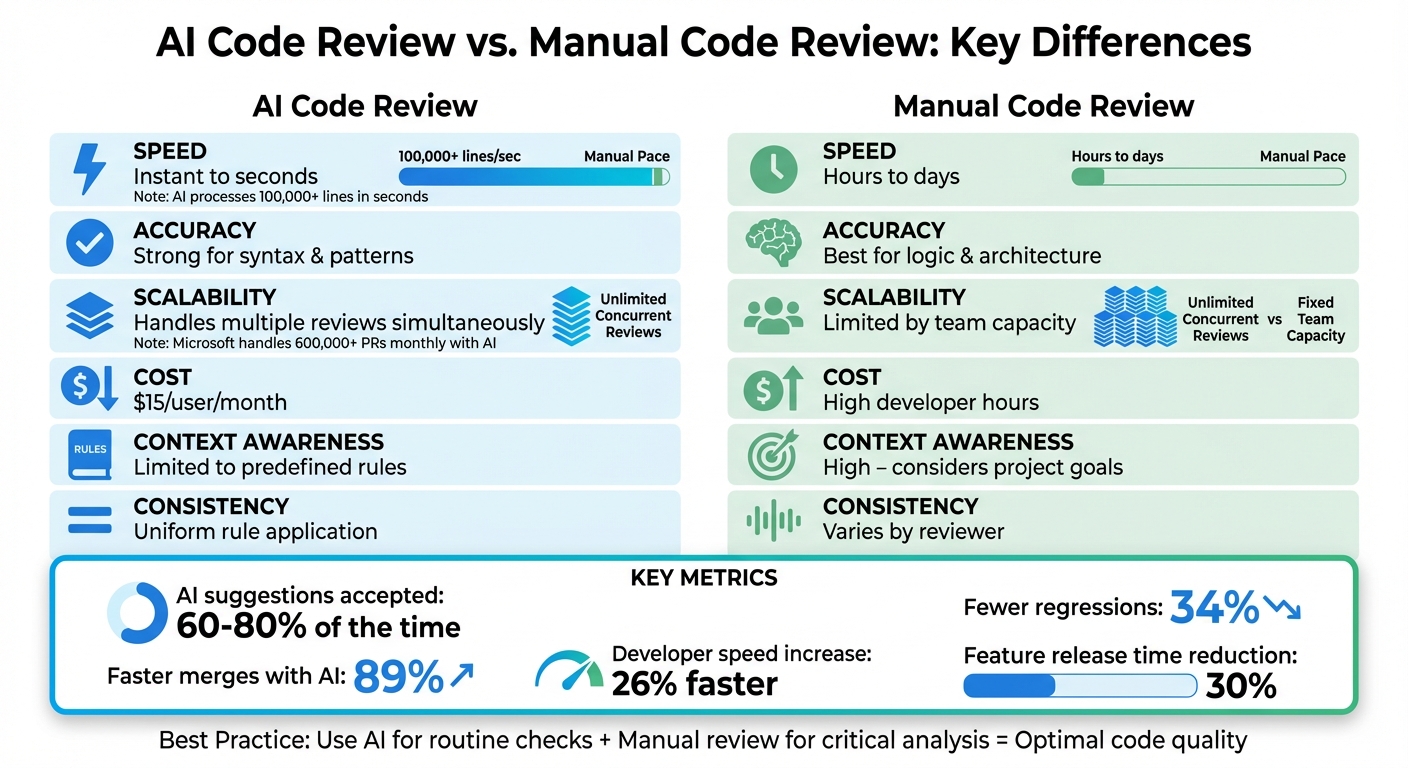
Traditional debugging methods – breakpoints, logging, manual code review – struggle to keep pace with the growing complexity of modern applications. Microservices, sprawling codebases, and the sheer volume of data involved mean even experienced developers can get lost. AI-powered tools address these challenges by automating tedious tasks, identifying subtle errors, and even predicting potential issues before they manifest.
These tools won't write your app for you. They're just better at the tedious parts of the job. If you can cut the time spent on a single memory leak from three hours to ten minutes, you're going to use the tool. It's that simple.
The cost of undetected bugs continues to rise, not just in terms of developer time but also in terms of security vulnerabilities and user experience. AI debugging tools are quickly becoming essential for maintaining a competitive edge, and in 2026, they are no longer a luxury, but a necessity.
Ten tools worth using
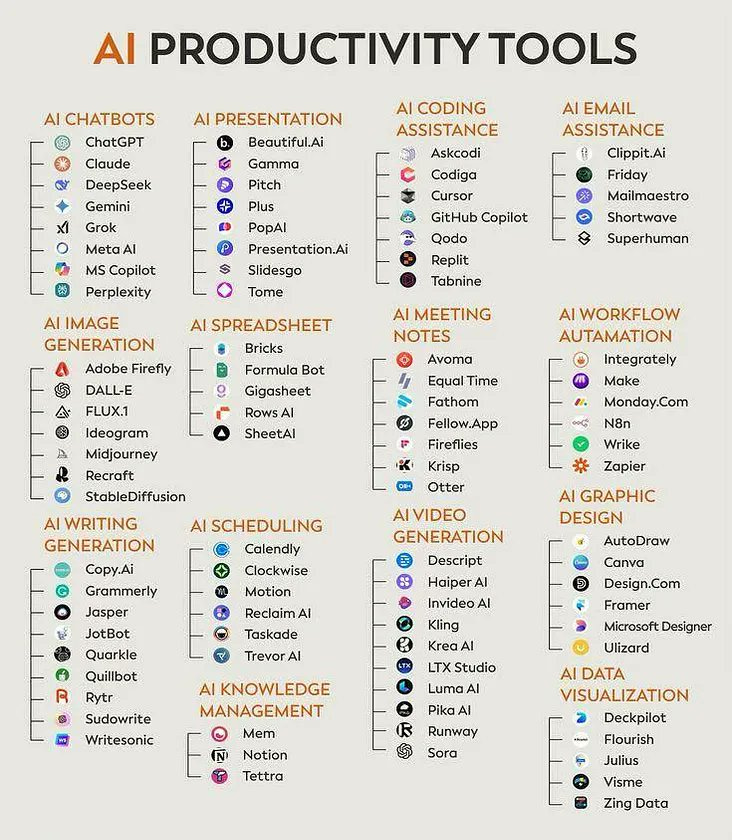
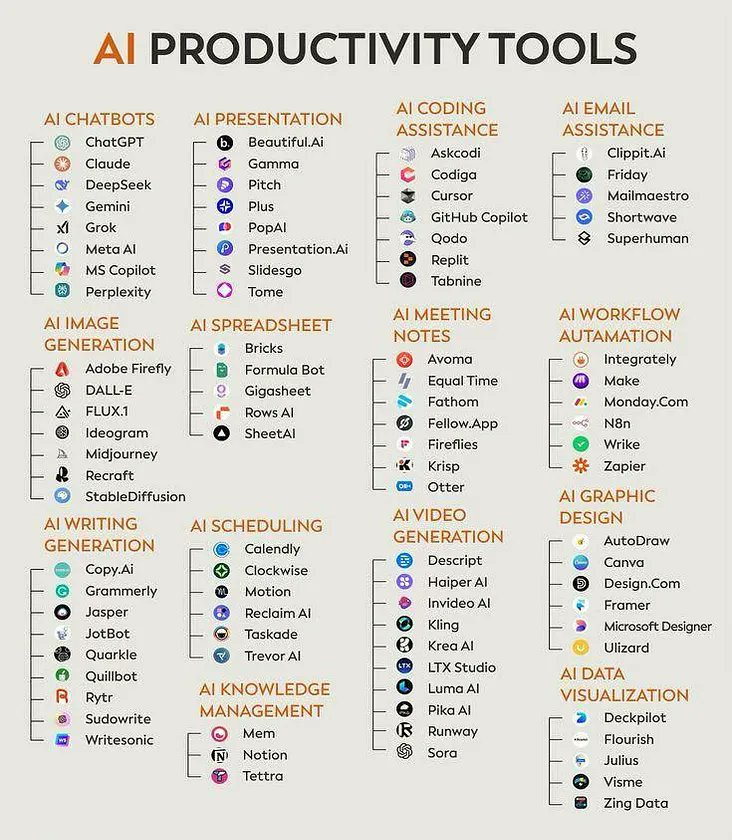
The market for AI-powered debugging tools is crowded, and the landscape is evolving rapidly. Here’s a look at ten of the leading contenders in 2026, each offering a unique approach to automated bug detection and code analysis.
DeepCode (now Snyk Code): This tool focuses on AI-powered static analysis, identifying potential bugs and security vulnerabilities directly within your code. It supports multiple languages including JavaScript, Python, and Java. Its strength lies in its proactive approach to bug prevention.
GitHub Copilot: An AI pair programmer that suggests code completions and identifies potential bugs as you type. It’s deeply integrated with Visual Studio Code and supports a wide range of languages. Copilot excels at accelerating development and reducing common errors.
Tabnine: Similar to Copilot, Tabnine offers AI-powered code completion, but with a stronger emphasis on privacy and security. It can be run locally or in the cloud and supports numerous IDEs. Tabnine is known for its accurate suggestions and minimal latency.
SonarQube: A widely used static code analysis platform that now incorporates machine learning insights to identify more complex bugs and security vulnerabilities. It supports over 30 programming languages and integrates with CI/CD pipelines. Its thorough analysis makes it a popular choice for large projects.
Codacy: An automated code review tool that leverages AI to provide suggestions for improving code quality and reducing technical debt. It integrates with GitHub, GitLab, and Bitbucket. Codacy’s focus on maintainability sets it apart.
Sentry: A popular error monitoring platform that uses AI to intelligently group and prioritize errors. It supports multiple languages and frameworks, and provides detailed insights into application performance. Sentry is best for identifying and resolving runtime errors.
Bugsnag: Another robust application monitoring tool with smart error detection capabilities. It offers real-time alerts, detailed error reports, and integration with popular development tools. Bugsnag's proactive approach to error tracking is highly valued.
Amazon CodeGuru Reviewer: A machine learning-powered code review service offered by AWS. It identifies critical issues, suggests improvements, and helps enforce coding standards. CodeGuru Reviewer is particularly well-suited for Java and Python projects hosted on AWS.
Microsoft IntelliCode: AI-assisted development features integrated directly into Visual Studio. It provides intelligent code completions, bug detection, and code analysis. IntelliCode is a natural choice for developers working within the Microsoft ecosystem.
Veracode: A security-focused static analysis platform that uses AI to identify vulnerabilities and enforce security policies. It supports a wide range of languages and frameworks and is often used for compliance purposes. Veracode is a strong contender for security-critical applications.
Boost Your Debugging Workflow: Essential Hardware for AI-Powered Code Fixing

Ryzen 7 8-core processor up to 4.5GHz · 16GB RAM and 512GB SSD · 15.6-inch FHD display
This renewed HP laptop offers robust performance with its powerful Ryzen 7 processor and ample storage, perfect for running demanding AI debugging software without a hitch.
![Perixx PERIBOARD-535BR [Firmware Updated] Wired Ergonomic Mechanical Keyboard - Full-Size - Low-Profile Brown Tactile Switches - NKRO Anti-Ghosting - Compatible with Windows and macOS](https://m.media-amazon.com/images/I/71d5v14gj8L._AC_UY654_QL65_.jpg)
Low-profile brown tactile mechanical switches · Full-size layout with NKRO Anti-Ghosting · Ergonomic design
Experience comfortable and precise typing with this ergonomic mechanical keyboard, designed for long coding sessions and reliable input for your debugging tasks.

Hybrid Active Noise Cancellation · 120-hour playtime · Bluetooth 6.0 connectivity
Immerse yourself in your work with these noise-cancelling headphones, providing exceptional audio quality and long battery life to keep you focused during extended debugging sessions.

1TB storage capacity · Up to 1050MB/s read speeds · USB-C and USB 3.2 Gen 2 interface
Quickly transfer large datasets and project files with this high-speed portable SSD, ensuring your debugging tools and data are always accessible and secure.

14-inch FHD 1080P IPS display · Ultra-thin and lightweight design · USB-C/HDMI Plug & Play
Expand your workspace on the go with this portable dual monitor, offering extra screen real estate to visualize code, logs, and debugging outputs simultaneously.
As an Amazon Associate I earn from qualifying purchases. Prices may vary.
Codeium and Tabnine
Codeium and Tabnine represent the forefront of AI pair programming. Both tools integrate directly into your IDE, offering real-time code completion and bug detection as you write. They learn from your coding style and the surrounding context to provide increasingly accurate and relevant suggestions.
Codeium distinguishes itself with a focus on speed and efficiency, often providing completions faster than other tools. It’s also gaining traction for its ability to generate entire code blocks from natural language prompts. Tabnine, on the other hand, offers greater control over data privacy, allowing you to run the AI model locally on your machine.
A recent YouTube review highlighted developer preference for Codeium's aggressive auto-completion, particularly in Python, while acknowledging Tabnine's stronger safeguards around intellectual property. The reviewer noted that both tools significantly reduced the amount of time spent writing boilerplate code and searching for documentation.
Both Codeium and Tabnine integrate seamlessly with popular IDEs like VS Code and IntelliJ, making them easy to adopt into existing workflows. The key difference often comes down to individual preference and specific project requirements. Choosing between them often requires a trial period with each to determine which best suits your coding style.
Static Analysis Gets Smarter: DeepSource & SonarQube
DeepSource and SonarQube are established players in the static analysis space, but they’ve both significantly evolved with the integration of AI. Traditional static analysis tools relied on predefined rules to identify potential bugs and vulnerabilities. AI takes this to the next level by learning from code patterns and identifying more complex issues.
DeepSource excels at identifying subtle bugs and security vulnerabilities before they make it into production. It provides automated code reviews and offers suggestions for improving code quality and maintainability. Its integration with CI/CD pipelines allows for continuous code analysis and early detection of issues.
SonarQube, with its ML-powered insights, goes beyond simple rule-based analysis. It can identify code smells, detect potential security flaws, and enforce coding standards across a wide range of languages. The level of customization offered by SonarQube is impressive, allowing teams to tailor the analysis to their specific needs.
Both tools offer detailed reports and visualizations, making it easy to understand the results of the analysis. They also integrate with popular version control systems like Git, allowing developers to track changes and identify the root cause of issues. The choice between DeepSource and SonarQube often depends on the size and complexity of the project, and the level of customization required.
How to talk to the AI
The effectiveness of AI debugging tools isn’t just about the algorithms they use; it’s also about how you interact with them. Crafting effective debugging prompts is a skill in itself. As Sarah Morino points out in her article on ai.plainenglish.io, the more specific and targeted your prompt, the better the results will be.
Instead of simply asking “Why is my code not working?”, try phrasing your request more precisely. For example, “Explain this error message: "TypeError: Cannot read property ‘length’ of undefined"”. Or, “Find potential memory leaks in this C++ code snippet.”
Here are a few example prompts for common debugging scenarios:
* “Suggest fixes for this performance bottleneck in my Python code.”
* “Identify potential null pointer exceptions in this Java method.”
* “Explain the root cause of this 500 Internal Server Error in my Node.js application.”
* “Generate unit tests for this function to ensure proper error handling.”
The key is to provide the AI with as much context as possible. Include relevant code snippets, error messages, and a clear description of the problem you’re trying to solve. Experiment with different prompts to see what works best for each tool.
Common Off-by-One Error: AI Debugging in Action
Let's examine a classic debugging scenario that AI-powered tools excel at identifying. The following example demonstrates how modern AI debugging assistants can quickly spot and resolve off-by-one errors, one of the most common programming mistakes.
# Buggy Code - Off-by-one error in list processing
def process_user_scores(scores):
    total = 0
    # Bug: range should be len(scores), not len(scores) - 1
    for i in range(len(scores) - 1):
        total += scores[i]
    return total / len(scores)

# Example usage
user_scores = [85, 92, 78, 96, 88]
result = process_user_scores(user_scores)
print(f"Average score: {result}")  # Incorrect result: 83.8 instead of 87.8

# AI Debugging Tool Prompt:
# "This function is supposed to calculate the average of all scores in the list,
# but it's returning an incorrect result. Can you identify and fix the bug?"

# Corrected Code - Fixed off-by-one error
def process_user_scores_fixed(scores):
    total = 0
    # Fixed: now iterates through all elements
    for i in range(len(scores)):
        total += scores[i]
    return total / len(scores)

# Alternative Pythonic solution
def process_user_scores_pythonic(scores):
    return sum(scores) / len(scores)

# Verification
user_scores = [85, 92, 78, 96, 88]
fixed_result = process_user_scores_fixed(user_scores)
pythonic_result = process_user_scores_pythonic(user_scores)
print(f"Fixed average: {fixed_result}")      # Correct result: 87.8
print(f"Pythonic average: {pythonic_result}")  # Correct result: 87.8
This example showcases how AI debugging tools can instantly recognize the off-by-one error in the loop range. Tools like GitHub Copilot and Tabnine would likely flag this issue during development, while static analysis tools such as DeepCode (now Snyk Code) and SonarQube could catch it during code review. The AI assistant not only identifies the bug but also suggests both a direct fix and a more Pythonic alternative using built-in functions. This type of intelligent error detection and solution recommendation is what makes AI-powered debugging tools invaluable for modern development workflows.
Beyond Code: AI for Documentation & Testing
AI’s impact on the software development lifecycle extends beyond just debugging. Tools are emerging that leverage AI to improve code documentation and automate testing, further streamlining the development process.
As noted in a recent article on dev.to, AI tools can automatically generate documentation from code comments, reducing the burden on developers and ensuring that documentation stays up-to-date. These tools can also identify missing documentation and suggest improvements.
AI is also being used to automate test case generation. By analyzing code and identifying potential edge cases, these tools can create comprehensive test suites that improve code coverage and reduce the risk of bugs. Some tools can even predict which tests are most likely to fail, allowing developers to focus their efforts on the most critical areas.
These AI-powered documentation and testing tools integrate seamlessly with CI/CD pipelines, enabling continuous testing and automated documentation updates. This integration helps to ensure that code is always well-documented and thoroughly tested before being deployed to production.

No comments yet. Be the first to share your thoughts!